📄 원문: The new ChatGPT Images is here
- 출처: The new ChatGPT Images is here
- 저자: OpenAI
- 원문 발행일: 2025년 12월 16일
- 라이선스: 저작권 OpenAI
- 번역일: 2025년 12월 17일
- 번역 및 감수: Claude and 공부하우
⚖️ 저작권 안내
이 번역문은 교육 및 정보 제공 목적으로 작성되었습니다. 원문의 저작권은 OpenAI에 있으며, 이 번역은 OpenAI의 공식 번역이 아닙니다.
본 번역은 다음과 같은 교육적 공정 사용(Fair Use) 원칙에 따라 제공됩니다:
- 비영리 교육 목적
- 원문 출처의 명확한 표시
- 한국어 사용자의 기술 이해 증진을 위한 변형적 사용
- 원저작물의 시장 가치에 부정적 영향을 미치지 않음
저작권 관련 문제가 제기될 경우, 즉시 적절한 조치를 취하겠습니다. 상업적 사용이나 재배포 전에 원저작권자의 허가를 받으시기 바랍니다.
문의사항이나 우려사항이 있으시면 오른쪽 템플릿 복사를 클릭 하신 뒤, 연락 페이지를 통해 알려 주시기 바랍니다.
새로운 ChatGPT Images 기능이 출시되었습니다
2025년 12월 16일
제품 · 릴리스
한 눈에 보는 ChatGPT Image
전체 내용을 한 눈에 보고 싶다면. https://cafe.gongbuhow.com/t/chatgpt-image/44
- ChatGPT에서 사용해 보기: https://chatgpt.com/images
- 자세히 보기: https://chatgpt.com/features/images/
오늘 우리는 새로운 플래그십 이미지 생성 모델로 구동되는 새 버전의 ChatGPT Images를 출시합니다. 이제 처음부터 무언가를 만들거나 사진을 편집할 때, 여러분이 머릿속에 그리고 있는 결과물을 얻을 수 있습니다. 이 모델은 세부 사항을 유지하면서 정밀한 편집을 수행하고, 이미지 생성 속도는 최대 4배 더 빨라졌습니다.
또한 ChatGPT 안에서 이미지 생성을 더 즐겁게 만들어 주는 새로운 Images 기능을 소개합니다. 이 기능은 영감을 불러일으키고, 창의적 탐구를 손쉽게 만들도록 설계되었습니다.
새 Images 모델은 오늘부터 모든 사용자를 대상으로 ChatGPT에서 순차적으로 제공되며, API에서는 GPT Image 1.5로 이용할 수 있습니다. ChatGPT의 새로운 Images 경험도 오늘부터 대부분의 사용자에게 순차적으로 제공되며, Business 및 Enterprise 사용자는 추후 이용 가능합니다.
핵심을 지키는 정밀 편집
이제 업로드한 이미지에 대해 편집을 요청하면, 모델은 아주 작은 세부 사항까지 여러분의 의도를 더 신뢰성 있게 따릅니다. 요청한 것만 변경하면서도 조명, 구도, 인물의 외형 같은 요소를 입력·출력·후속 편집 전반에서 일관되게 유지합니다.
이는 여러분의 의도에 맞는 결과를 가능하게 합니다. 더 유용한 사진 편집, 더 설득력 있는 의상·헤어스타일 “가상 착용/적용”, 그리고 원본 이미지의 본질을 유지하는 스타일 필터 및 개념적 변환까지. 이러한 개선을 통해 ChatGPT는 실용적인 편집과 표현력 있는 재해석을 모두 수행할 수 있는, 주머니 속 크리에이티브 스튜디오가 될 수 있습니다.
편집
모델은 추가, 제거, 결합, 블렌딩, 전치 등 다양한 편집 유형에서 뛰어난 성능을 보입니다. 그래서 이미지의 특별함을 만드는 요소를 잃지 않으면서도 원하는 변경을 얻을 수 있습니다.
탭: 파티에서 라이브스트림으로, LA 스케이트보딩
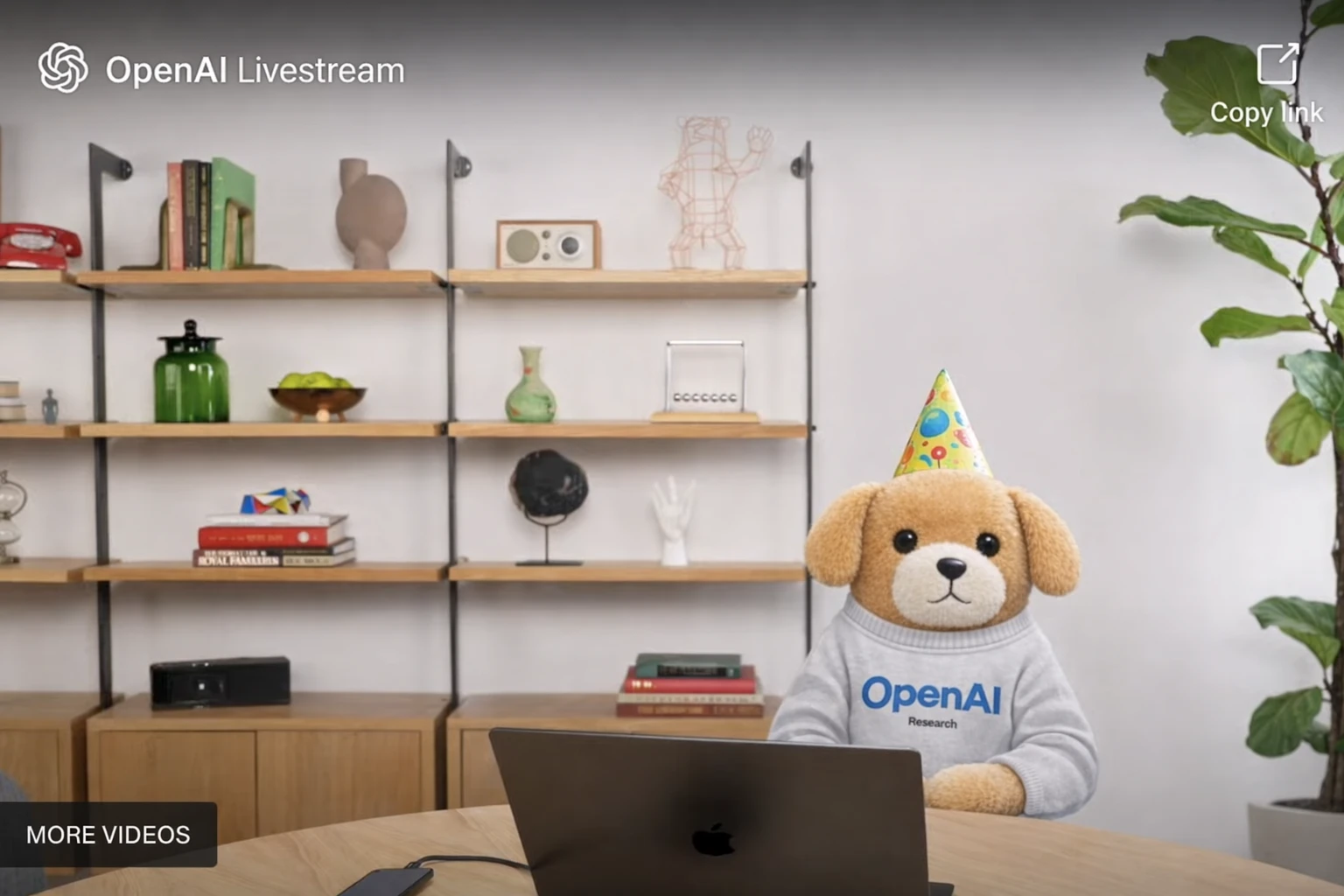
패널: 파티에서 라이브스트림으로
입력 이미지
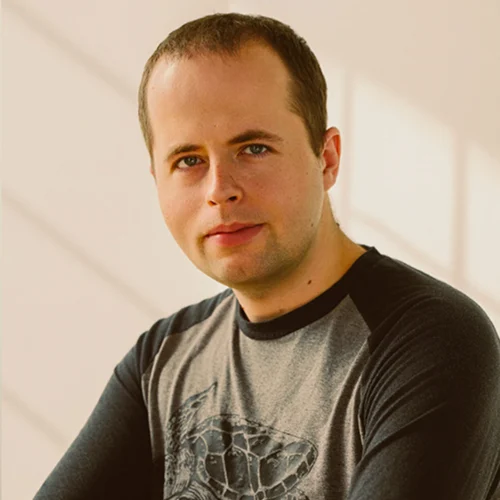
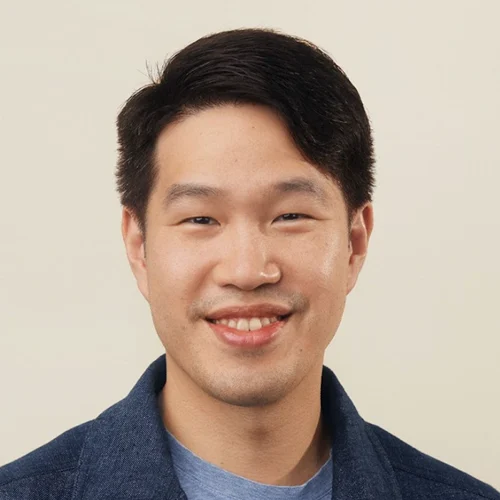
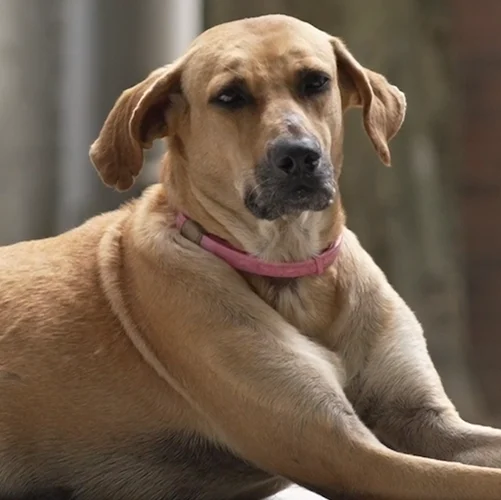
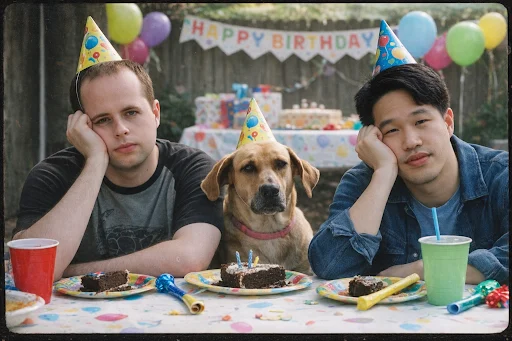
아이들 생일 파티에서 지루해 보이는 두 남자와 개를 2000년대 필름 카메라 스타일 사진으로 합쳐 줘.
원문 프롬프트
Combine the two men and the dog in a 2000s film camera-style photo of them looking bored at a kids birthday party.
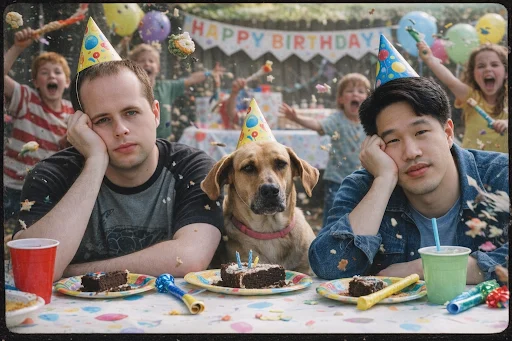
배경에 물건을 던지고 소리를 지르며 난장판을 만드는 아이들을 추가해 줘.
원문 프롬프트
Add chaotic kids in the background throwing things and screaming.
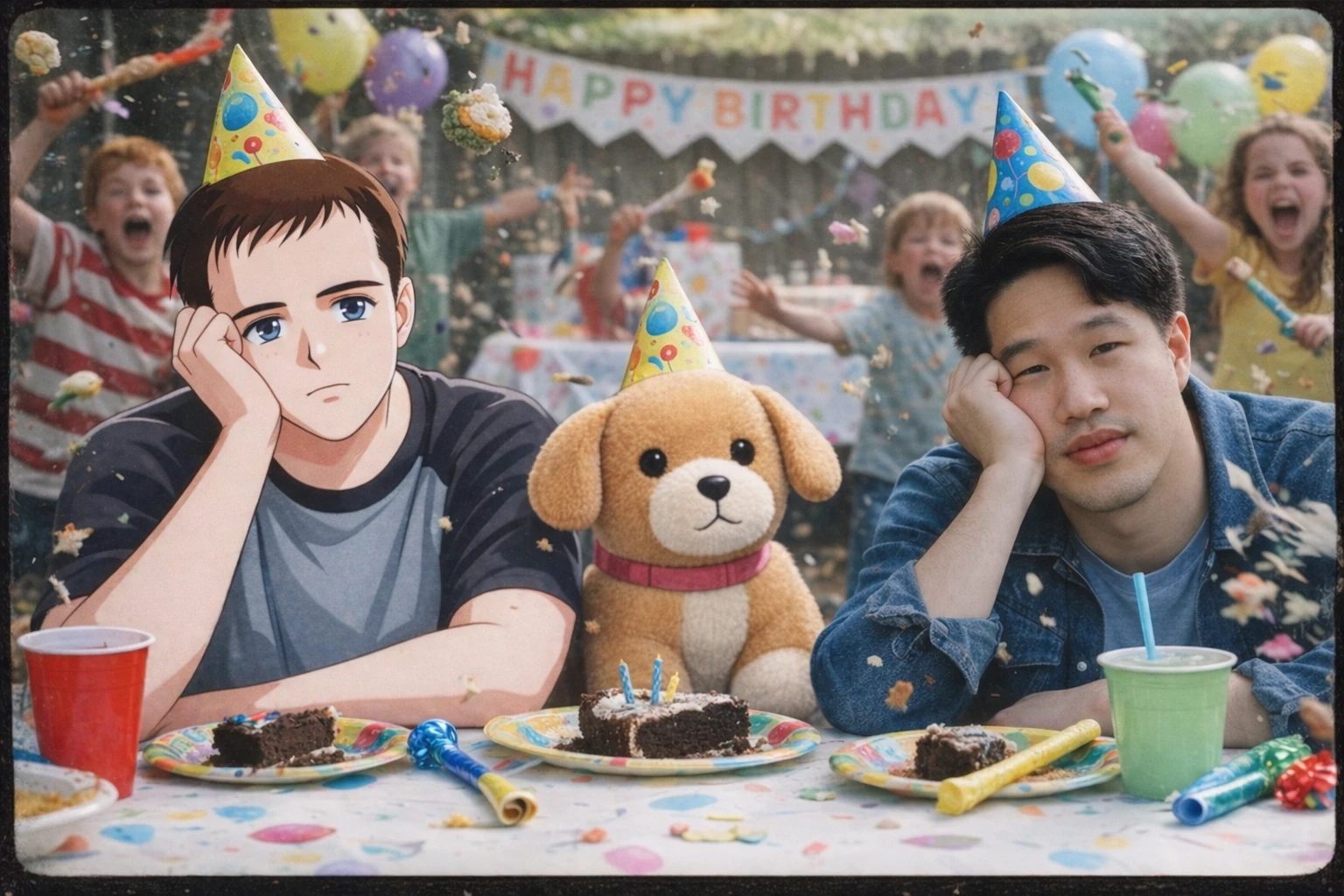
왼쪽 남자는 손으로 그린 레트로 애니메이션 스타일로 바꾸고, 개는 봉제 인형 스타일로 바꿔 줘. 오른쪽 남자와 배경 풍경은 그대로 유지해 줘.
원문 프롬프트
Change the man on the left to a hand-drawn retro anime style, the dog to plushie style, keep the man on the right and background scenery the way they are.
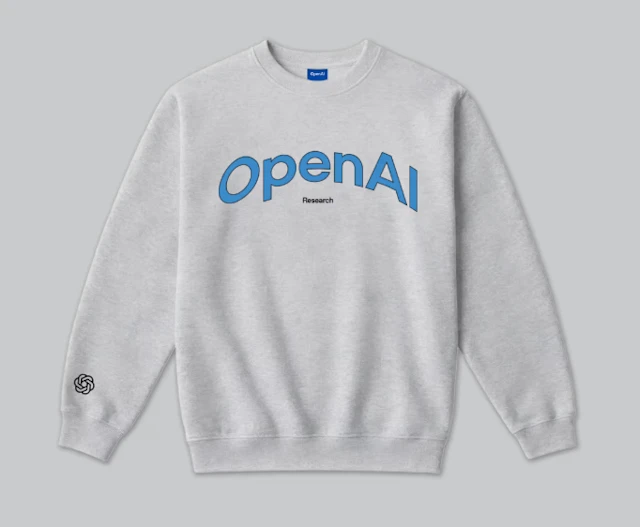
모두 이 이미지와 같은 OpenAI 스웨터를 입혀 줘.
원문 프롬프트
Put them all in OpenAI sweaters that look like this.

이제 두 남자는 제거하고 개만 남긴 뒤, 첨부된 이미지처럼 보이는 OpenAI 라이브스트림 화면에 배치해 줘.
원문 프롬프트
Now remove the two men, just keep the dog, and put them in an OpenAI livestream that looks like the attached image.
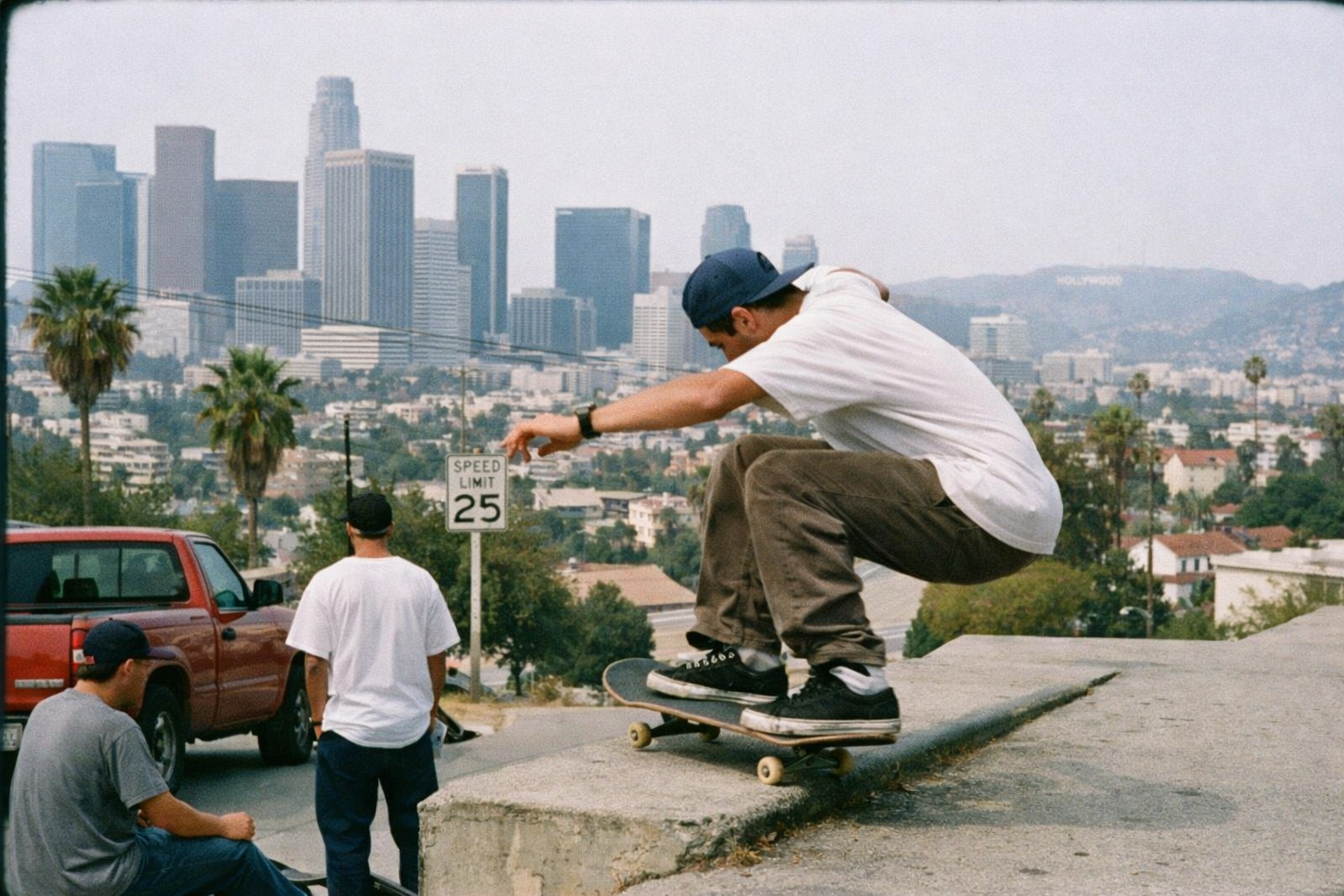
패널: LA 스케이트보딩 (LA skateboarding)
로스앤젤레스 풍경의 스케이트보딩 장면을 아래 스타일로 촬영한 사진처럼 만들어 줘: 1990년대 후반 다큐멘터리 스트리트 포토그래피, 35mm 컬러 필름, Leica M 스타일 레인지파인더 카메라(35mm 렌즈), Kodak Portra 400 컬러 팔레트, 자연광, 부드러운 대비, 채도 낮은 현실적 색감, 필름 그레인 포함, 가장자리 약간의 소프트함, 관찰자 시점의 자연스러운 스냅 구도, HDR 금지, 현대 디지털 선명함 금지, 시네마틱 조명 금지
원문 프롬프트
los angeles landscape skateboarding shot with the following style: late 1990s documentary street photography shot on 35mm color film, Leica M-style rangefinder camera with a 35mm lens, Kodak Portra 400 color palette, natural daylight, soft contrast, muted realistic colors, embedded film grain, slight edge softness, observational candid framing, no HDR, no modern digital sharpness, no cinematic lighting
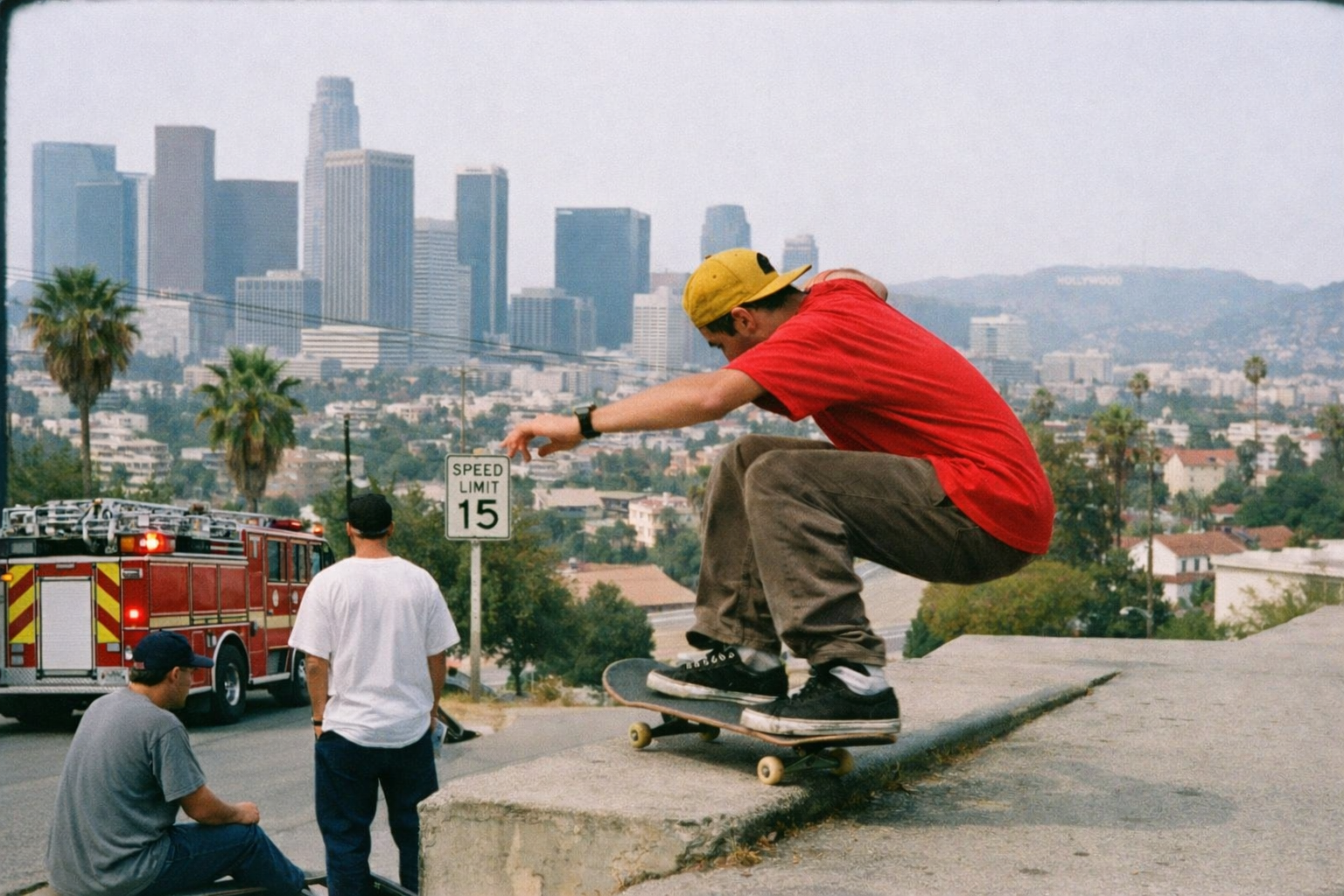
그의 셔츠는 빨간색으로, 모자는 노란색으로, 제한속도 표지판은 15로, 트럭은 소방차로 바꿔 줘
원문 프롬프트
make his shirt red, his hat yellow, the speed limit 15, and the truck a firetruck
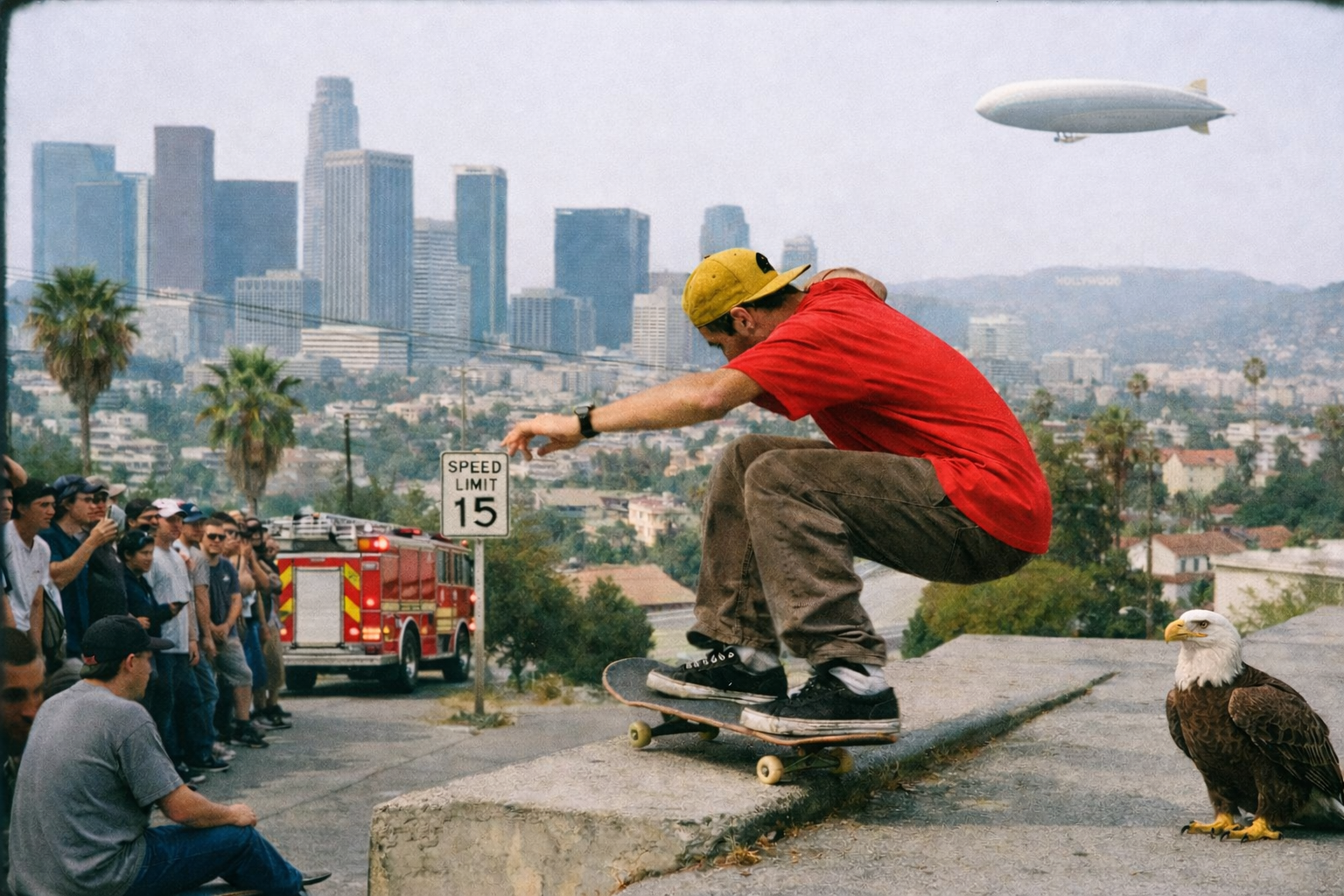
왼쪽에는 구경하는 사람들 무리를 추가하고, 오른쪽에는 포장도로 위에 앉아 있는 독수리를 추가하고, 멀리 배경에는 비행선(블림프)이 날아가게 해 줘
원문 프롬프트
add a crowd of people watching on the left, an eagle sitting on pavement on the right, and a blimp flying in the distance
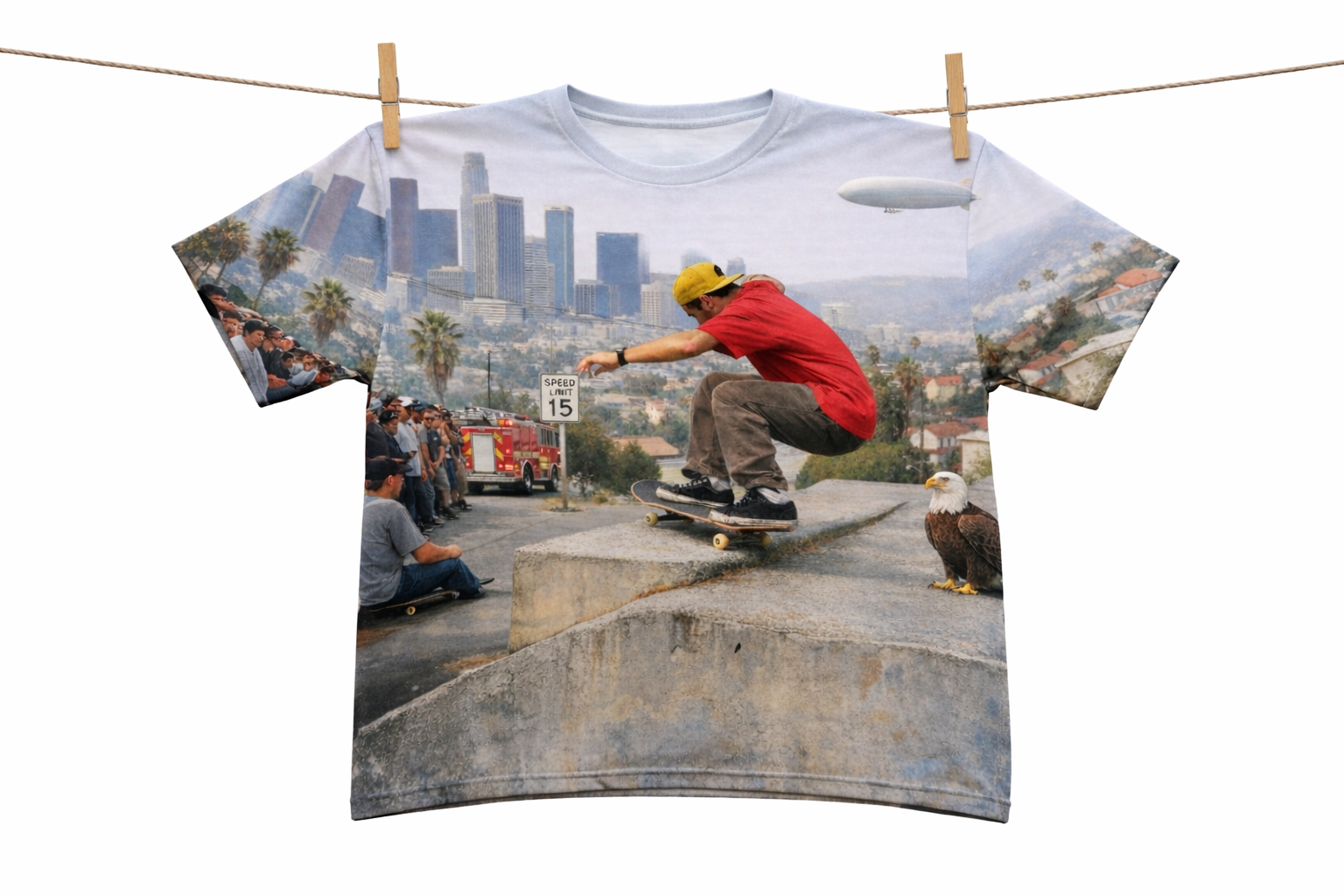
방금 그 이미지가 티셔츠 전체(앞뒤) 랩어라운드로 인쇄된 티셔츠가 빨랫줄에 걸려 있는 장면을 만들어 줘
원문 프롬프트
t-shirt hanging on a clothesline with that image printed as a full wrap-around on the t-shirt
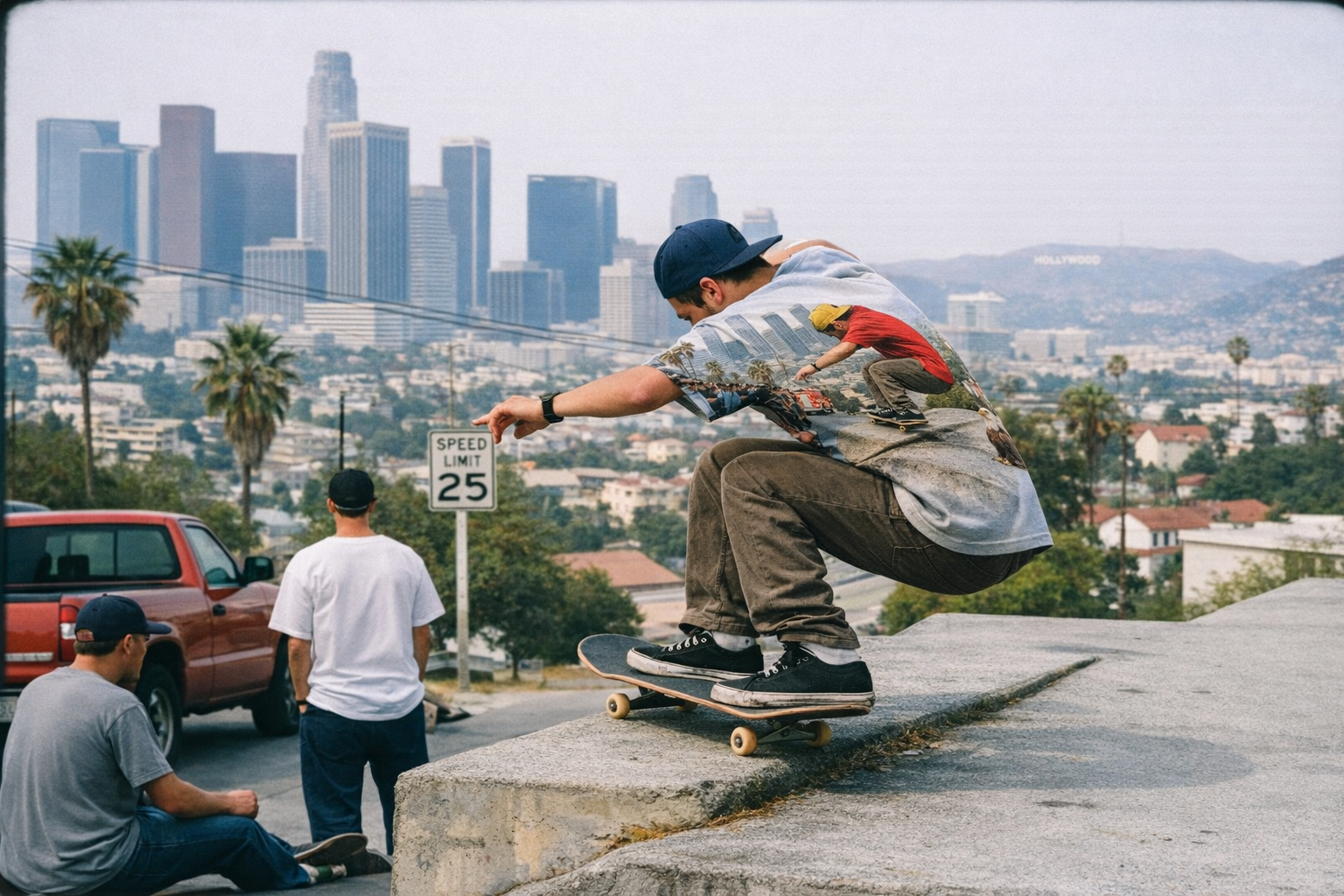
빨랫줄에 걸린 그 티셔츠를 가져와서 스케이트보더가 그 티를 입고 있게 해 줄래?
원문 프롬프트
can you put the t-shirt that hangs on the clothesline and have the skateboarder wearing that tee
창의적 변환 (Creative transformations)
프리셋: 영화 포스터 (Movie poster)
참고(원본) 이미지
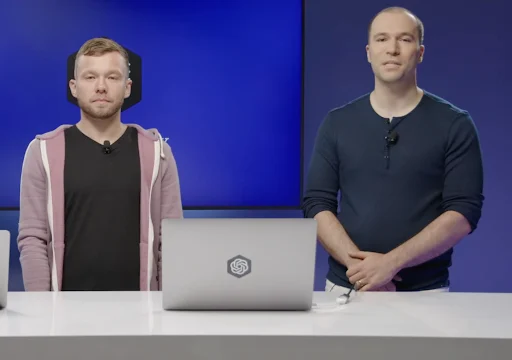
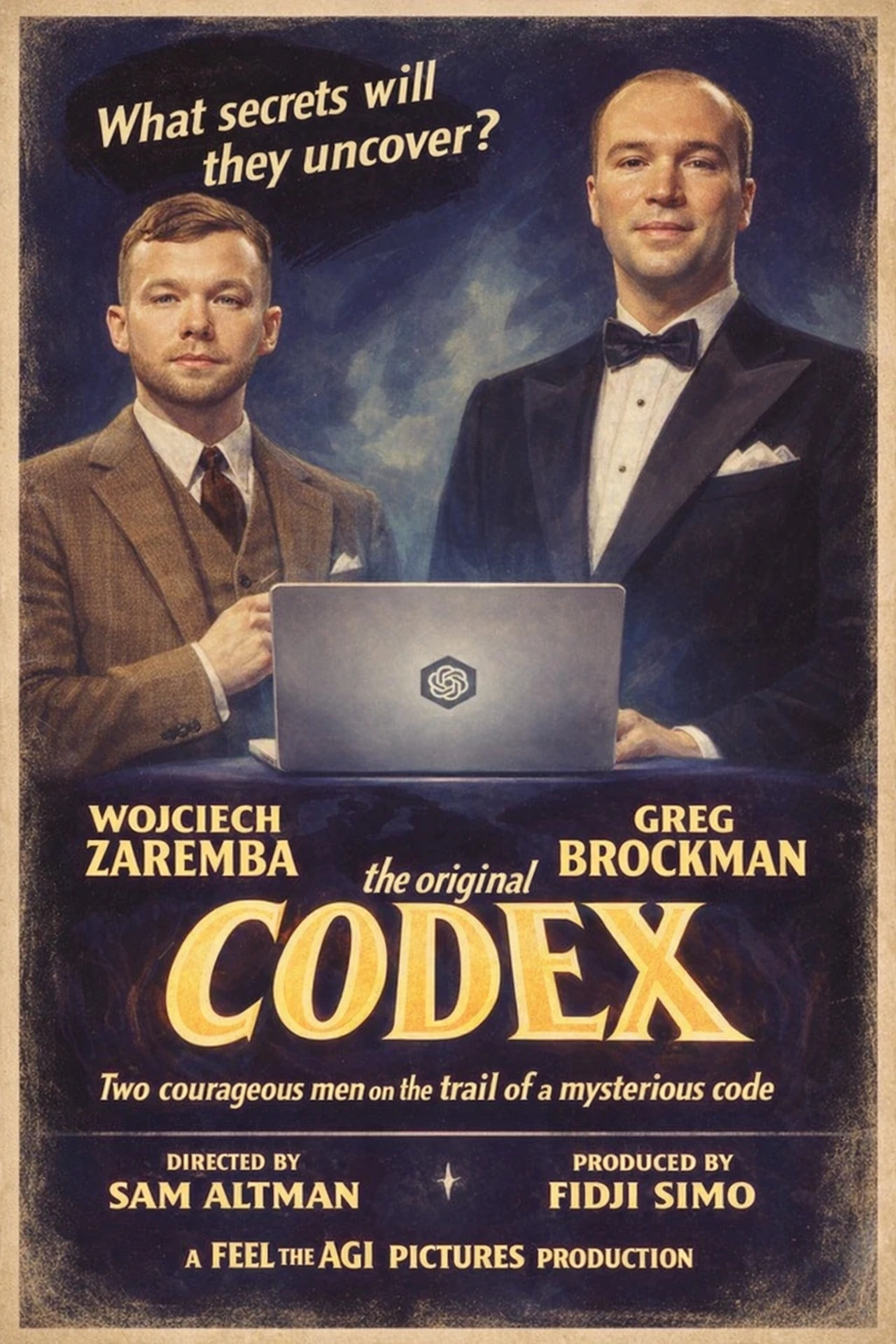
이 두 남자의 이미지를 바탕으로, 'codex'라는 제목의 황금기 올드스쿨 헐리우드 영화 포스터를 만들어 줘. 시대에 맞게 의상은 자유롭게 바꿔도 돼. 배우 이름을 왼쪽은 Wojciech Zaremba, 오른쪽은 Greg Brockman으로 바꿔 줘. 감독은 Sam Altman, 프로듀서는 Fidji Simo로 표기해 줘. "A Feel the AGI Pictures Production."도 넣어 줘.
원문 프롬프트
Make an old school golden age hollywood movie poster of a movie called 'codex' from the image of these two men. feel free to change their costumes to fit the times. Change the names of the actors to Wojciech Zaremba (left) and Greg Brockman (right). Directed by Sam Altman, produced by Fidji Simo. A Feel the AGI Pictures Production.
출력 이미지
프리셋: 80년대 피트니스 강사 (80s fitness instructor)
입력 이미지
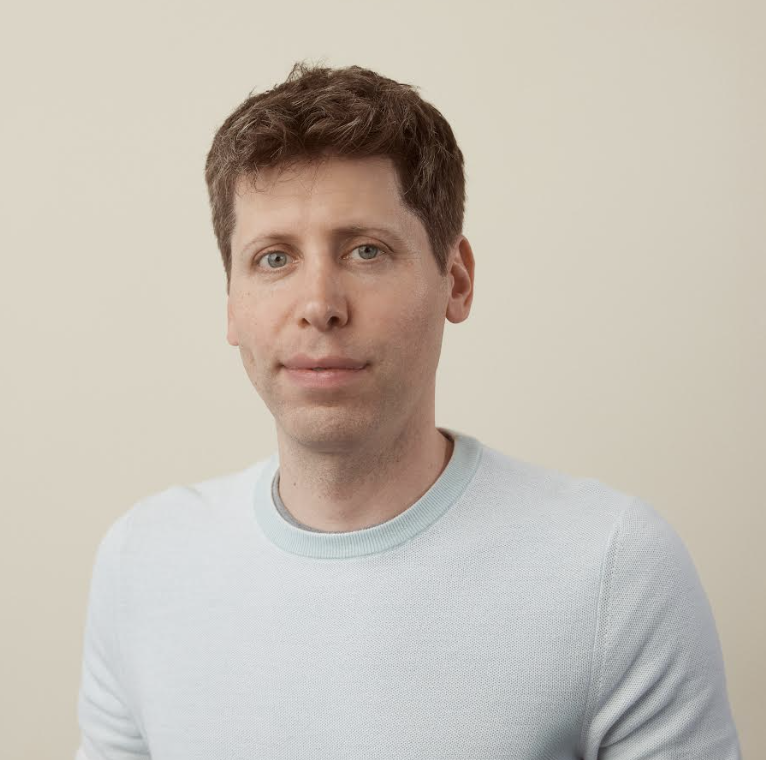
원문 프롬프트
Transform me into an iconic 1980s VHS fitness instructor while keeping my natural facial structure and expression. Apply authentic 80s photo and video treatment directly to my face: soft halation glow, slight blur, gentle noise, mild color bleeding, and subtle scanlines that affect skin tone and edges. Style me in vibrant 80s fitness wear, terrycloth headband, wristbands, and neon-accented athletic clothing. Give my hair a voluminous, 80s-inspired shape that fits their natural length and texture. Add optional retro makeup in bright tones only if it matches my overall look. Use pastel studio lighting and a lightly degraded VHS aesthetic throughout the entire image so my face and body match the same analog mood. I should be in the middle of leading an aerobics exercise. Put some text on the screen to match.
출력 이미지

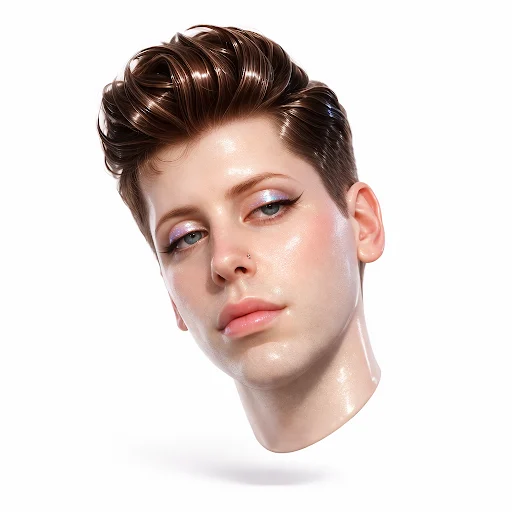
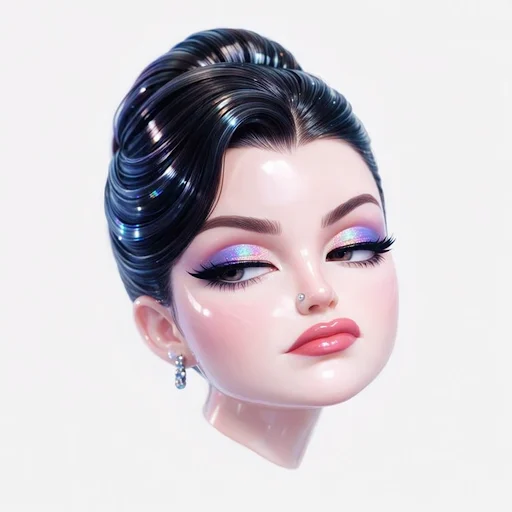
프리셋: 글램 인형 (Glam doll)
입력 이미지
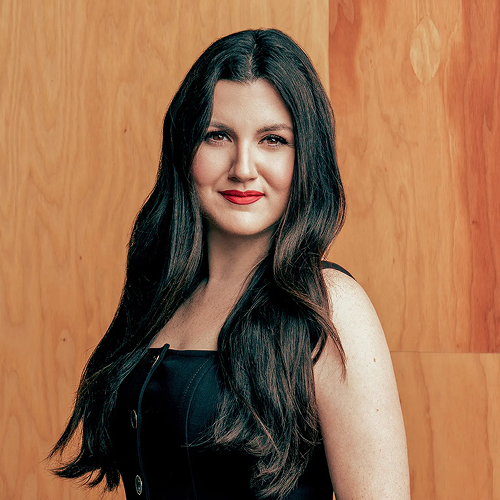
원문 프롬프트
Create a hyper-stylized 3D floating head of a bratty, glamorous version of the subject with a bothered, unimpressed expression: half-lidded eyes, arched brows, and a subtle lip curl, delivering classic 'mean girl' attitude. Their smooth skin has a glossy vinyl finish with strong highlighter on cheekbones and nose, catching soft studio light. Apply holographic, iridescent eyeshadow shifting from purple to teal with crisp specular glints. Style their thick hair in slick, glossy, sculpted waves or a sleek updo, reflecting light like polished acrylic. Add a small metallic chrome nose piercing (stud or hoop) with subtle brushed-metal reflections. The head floats isolated against a plain white neutral background, tilted 15 degrees, like a premium product render. Use bright, diffuse studio lighting with no harsh shadows, emphasizing gloss, plasticity, and subsurface scattering for realistic depth. The mood is bratty, fashionable, coolly detached. Camera angle is a close-up portrait, straight-on, with an 85mm lens. Textures are ultra-smooth, high-gloss, cartoon-style plastic skin, lips, and hair.
출력 이미지
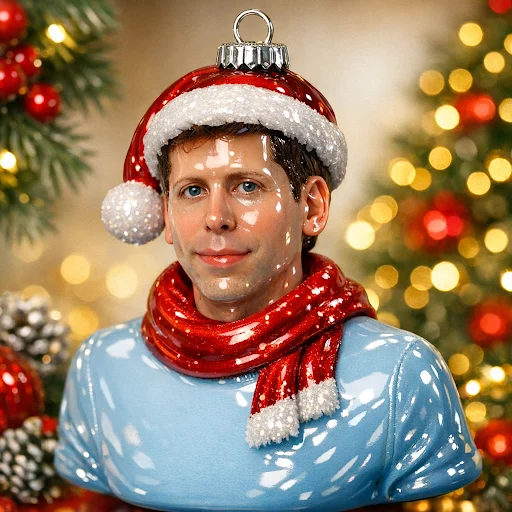
프리셋: 오너먼트 (Ornament)
입력 이미지
원문 프롬프트
Turn me into an ornament sculpted from glossy molded glass, finished in a high-shine lacquer that catches light from every angle. Its surface feels perfectly smooth and cool, with a weight that suggests fragility and permanence at once. The coating is a lustrous enamel, somewhere between ceramic and candy shell — reflective enough that small highlights bloom across its curves like soft sparks. Tiny metallic embellishments trace the outlines of form and texture — dots, lines, and filigree patterns that shimmer as they move. These are applied with fine glittering paint or microbeads, giving the sense of hand-finished ornamentation; the shimmer isn't flat, but layered, so the light seems to dance over raised details. The whole piece radiates a feeling of retro kitsch luxury: vivid color blocked against gleaming accents, playful yet deliberate. There's a subtle iridescence where curves catch light — hints of gold, rose, and pearl. The finish feels almost edible, like glazed sugar or melted candy poured into shape. Suspended from a delicate gold loop and string, the ornament hovers with a gentle theatricality, equal parts festive and sculptural. It's the kind of object that feels both iconic and humorous, a statement piece meant to sparkle under tree lights or studio lamps — an embodiment of camp elegance and handcrafted nostalgia.
출력 이미지
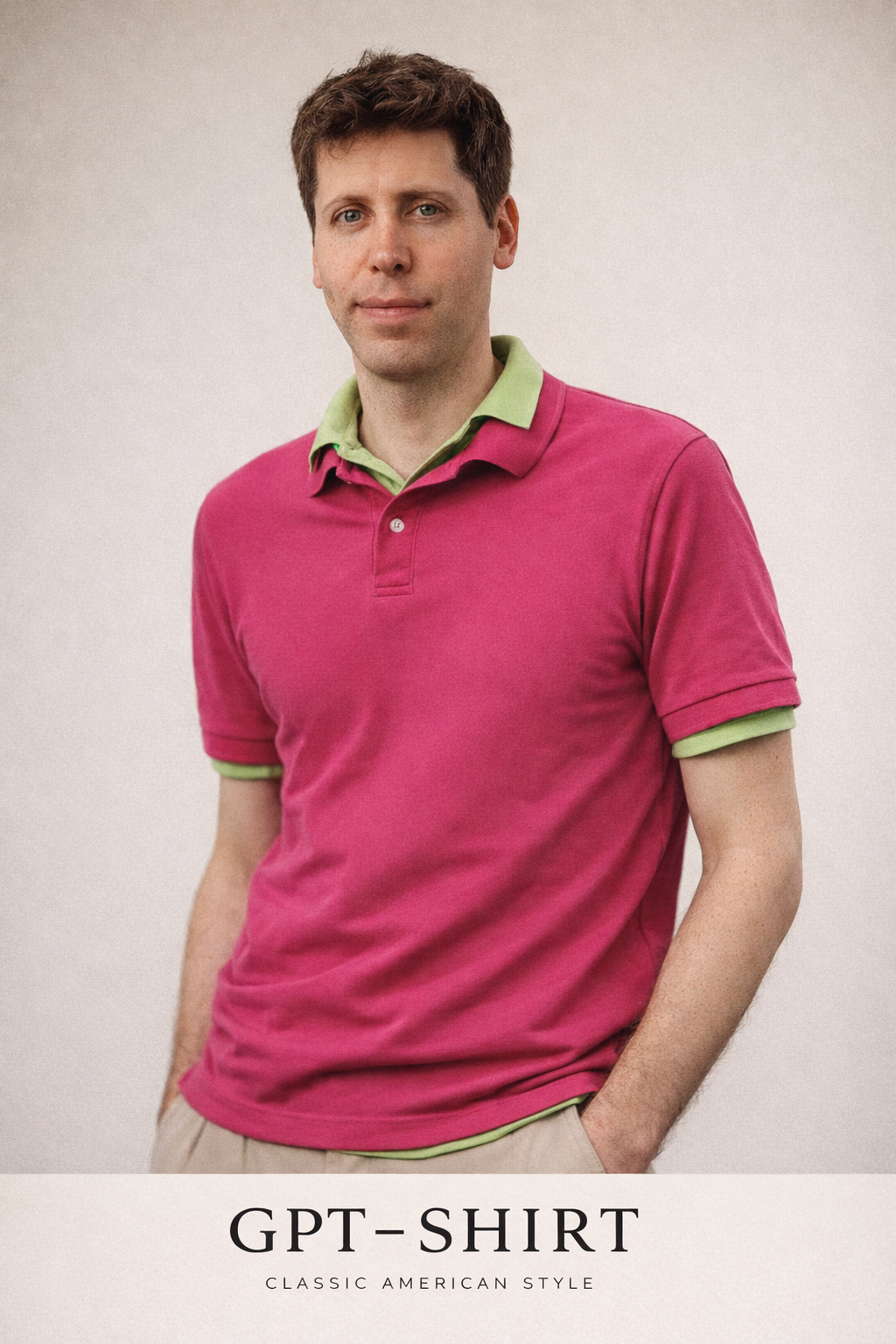
프리셋: 패션 광고 (Fashion ad)
입력 이미지
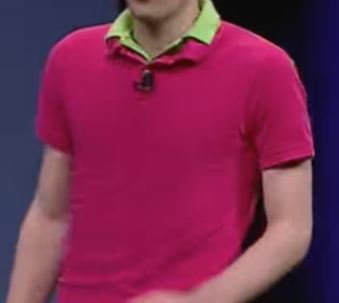
원문 프롬프트
Use the uploaded image as the subject reference. Transform this into a minimalist 1990s American fashion advertisement. Preserve the subject's facial features, proportions, posture, and expression exactly. Preserve the original color of the double-collar polo shirt exactly. Style: clean, understated, premium fashion editorial. Wardrobe: a double-layer polo look (one polo layered over another), classic fit, neutral or slightly muted colors. Setting: seamless studio backdrop, simple composition. Lighting: soft, even studio lighting with gentle shadows; natural skin tones. Mood: confident, effortless, timeless. The brand: GPT-Shirt. Photographic style: medium-format film look, subtle grain, restrained contrast.
출력 이미지
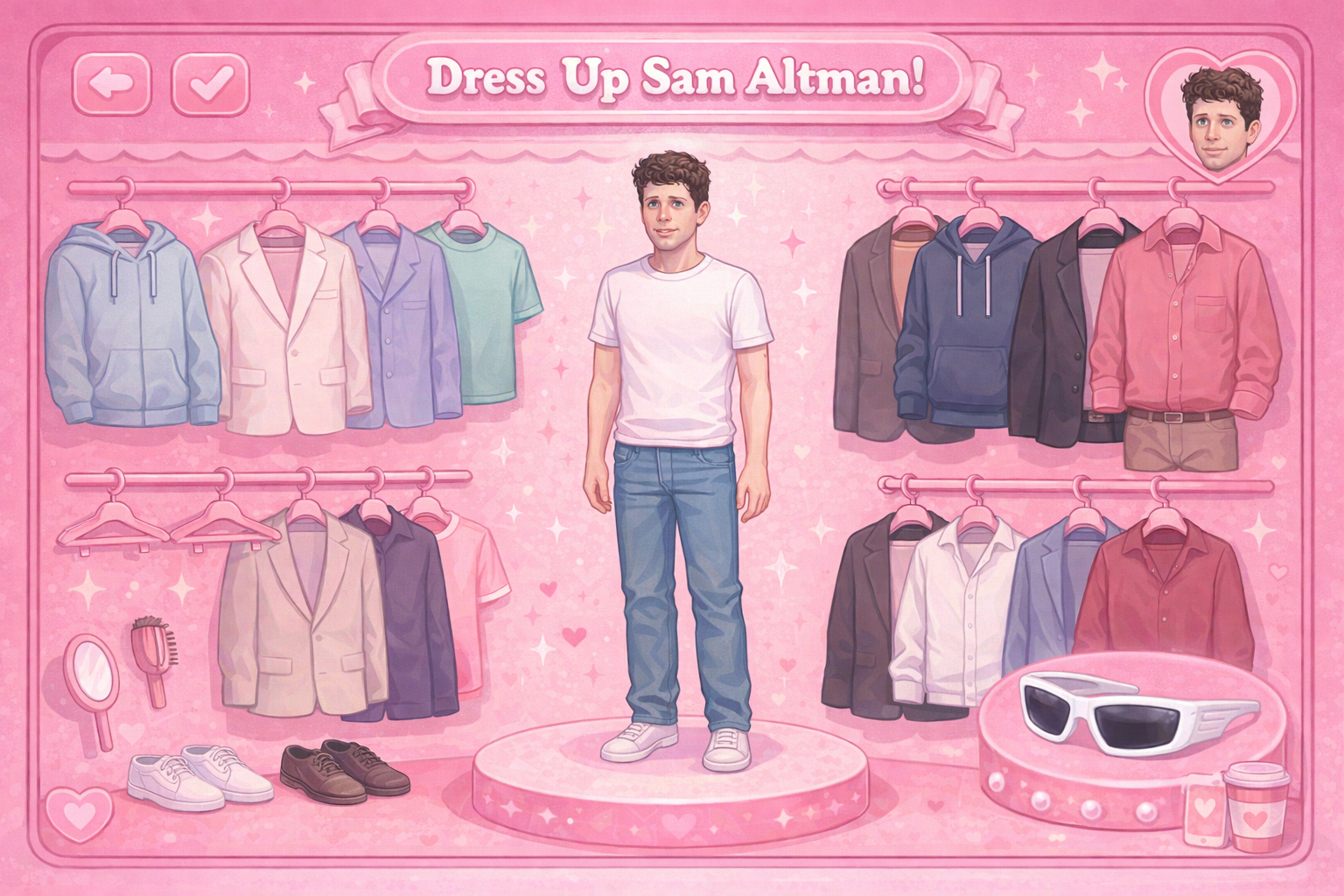
프리셋: 드레스업 캐릭터 (Dress-up character)
입력 이미지
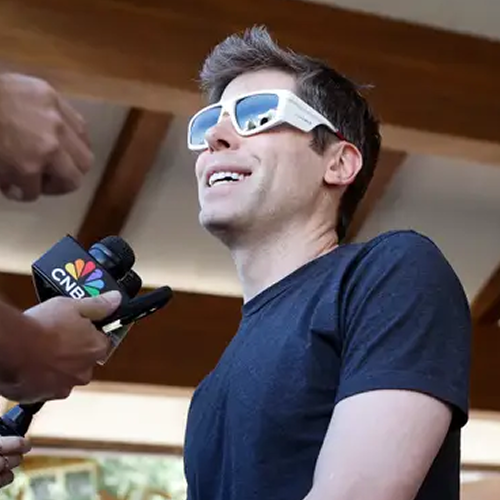
그를 2000년대 인형 게임의 드레스업(옷 갈아입히기) 화면에 넣어 줘. 환경은 전부 분홍색이어야 해. 이 선글라스가 세트에 꼭 들어가게 해 줘.
원문 프롬프트
Put him in a 2000 doll game dressing screen, all the environment is in pink. Make sure these sunglasses are in the set.
출력 이미지
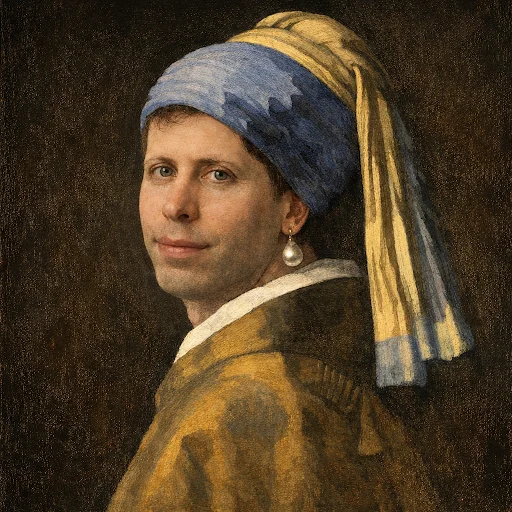
프리셋: 명화 (Painting)
입력 이미지
나를 '진주 귀걸이를 한 소녀' 그림 속 인물로 넣어 줘.
원문 프롬프트
Put me in the girl with the pearl earring painting
출력 이미지
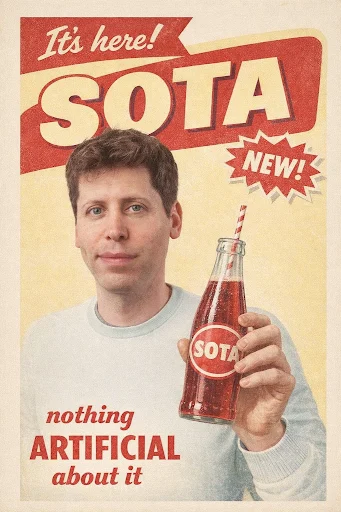
프리셋: 음료 광고 (Drink ad)
입력 이미지
첨부된 남자의 얼굴을 사용해서, 'SOTA'(새 탄산음료)라는 신제품을 위한 빈티지 소다 광고를 만들어 줘. 슬로건은 "nothing artificial about it"이야. 그 시절 광고처럼 시대감이 나게 만들어 줘.
원문 프롬프트
Create a vintage soda ad for a new drink called 'SOTA' (a new soda) with the attached man's face. The slogan is: nothing artificial about it. Make it true to the times.
출력 이미지
지시 수행 능력
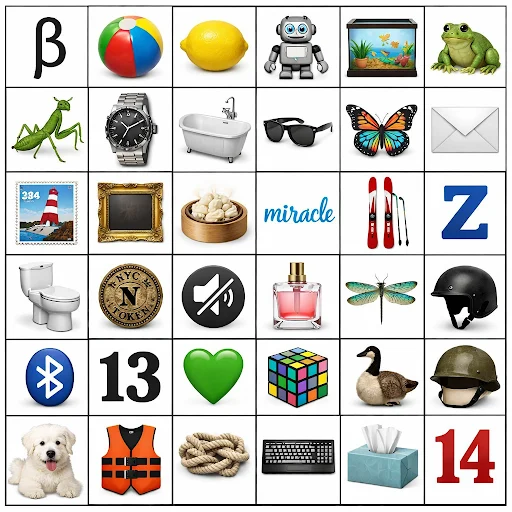
모델은 초기 버전보다 지시를 더 신뢰성 있게 따릅니다. 이는 더 정밀한 편집뿐 아니라, 요소 간 관계를 의도대로 유지해야 하는 더 복잡한 원본 합성에도 도움이 됩니다.
신규
원문 프롬프트
draw a 6x6 grid Make a 6 (columns) by 6 (rows) grid of: Row 1: the Greek letter beta, a beach ball, a lemon, a robot, a fish tank, a frog Row 2: a praying mantis, an expensive watch, a bathtub, a pair of sunglasses, a colorful butterfly, an envelope Row 3: a stamp, a picture frame, a steaming dumpling, the word 'miracle', a pair of skis, the letter Z Row 4: a toilet, a subway token, a mute icon, a bottle of perfume, a dragonfly, a skateboard helmet Row 5: a Bluetooth icon, the number 13, a green heart, a rubik's cube, a Canada goose, a soldier's helmet Row 6: a white dog, a life jacket, a knot, a keyboard, a tissue box, the number 14
이전
원문 프롬프트
draw a 6x6 grid Make a 6 (columns) by 6 (rows) grid of: Row 1: the Greek letter beta, a beach ball, a lemon, a robot, a fish tank, a frog Row 2: a praying mantis, an expensive watch, a bathtub, a pair of sunglasses, a colorful butterfly, an envelope Row 3: a stamp, a picture frame, a steaming dumpling, the word 'miracle', a pair of skis, the letter Z Row 4: a toilet, a subway token, a mute icon, a bottle of perfume, a dragonfly, a skateboard helmet Row 5: a Bluetooth icon, the number 13, a green heart, a rubik's cube, a Canada goose, a soldier's helmet Row 6: a white dog, a life jacket, a knot, a keyboard, a tissue box, the number 14
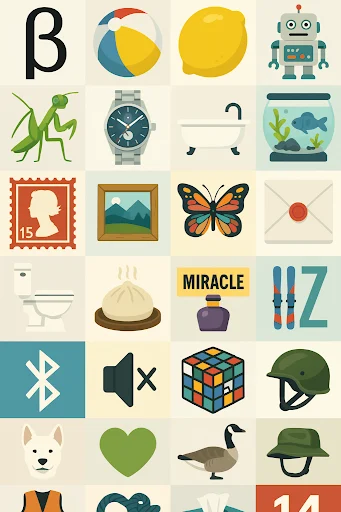
텍스트 렌더링
마크다운 렌더링 (Markdown rendering)
원문 프롬프트
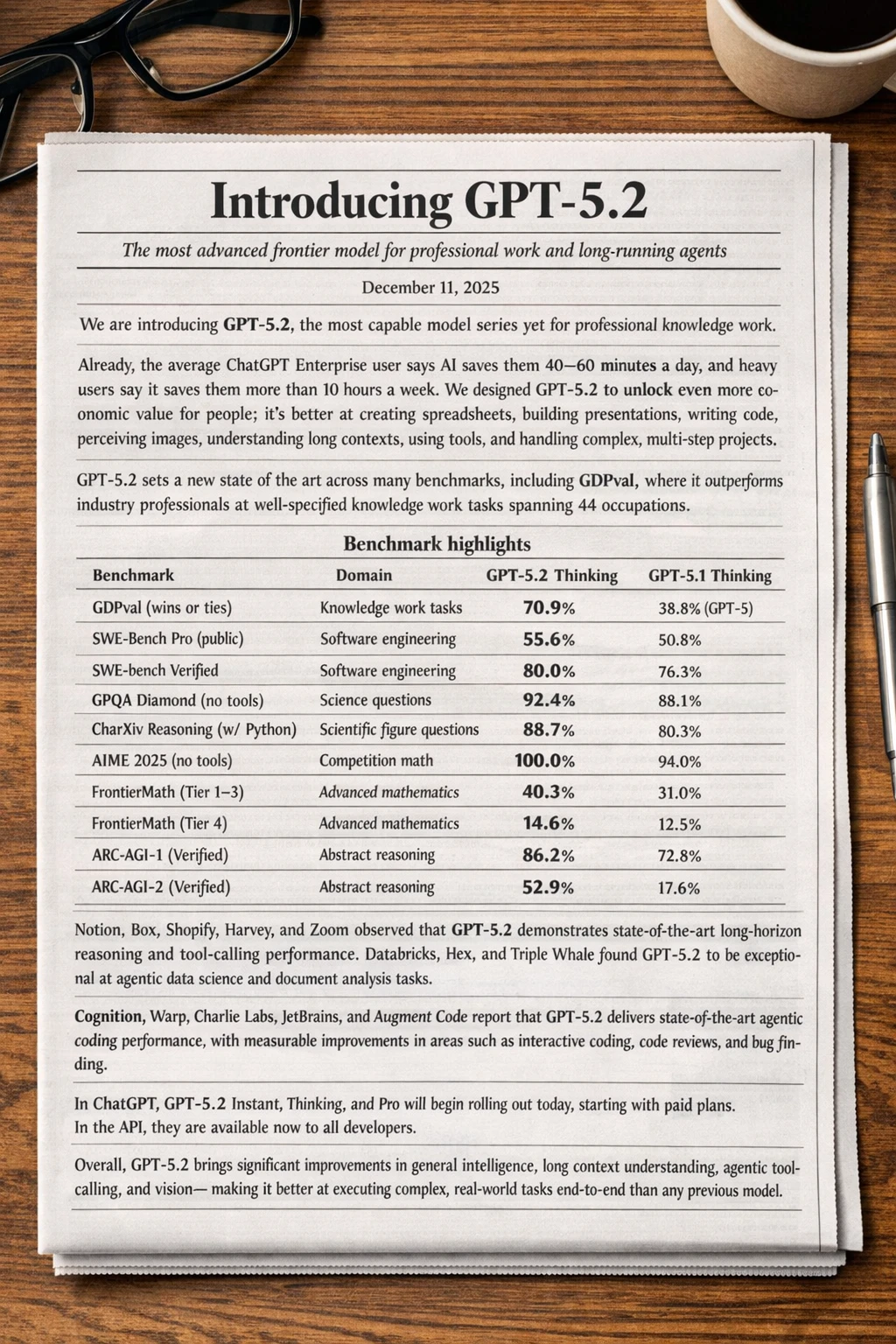
There is a newspaper on a desk. The newspaper shows the markdown below laid out as a **natural** newspaper article. Preserve all content, formatting, and numbers exactly. The image should be tall. # Introducing GPT-5.2 ### *The most advanced frontier model for professional work and long-running agents* **December 11, 2025** --- We are introducing **GPT-5.2**, the most capable model series yet for professional knowledge work. Already, the average ChatGPT Enterprise user says AI saves them 40–60 minutes a day, and heavy users say it saves them more than 10 hours a week. We designed GPT-5.2 to unlock even more economic value for people; it's better at creating spreadsheets, building presentations, writing code, perceiving images, understanding long contexts, using tools, and handling complex, multi-step projects. GPT-5.2 sets a new state of the art across many benchmarks, including GDPval, where it outperforms industry professionals at well-specified knowledge work tasks spanning 44 occupations. --- ## Benchmark highlights | Benchmark | Domain | GPT-5.2 Thinking | GPT-5.1 Thinking | |---|---|---:|---:| | GDPval (wins or ties) | Knowledge work tasks | **70.9%** | 38.8% (GPT-5) | | SWE-Bench Pro (public) | Software engineering | **55.6%** | 50.8% | | SWE-bench Verified | Software engineering | **80.0%** | 76.3% | | GPQA Diamond (no tools) | Science questions | **92.4%** | 88.1% | | CharXiv Reasoning (w/ Python) | Scientific figure questions | **88.7%** | 80.3% | | AIME 2025 (no tools) | Competition math | **100.0%** | 94.0% | | FrontierMath (Tier 1–3) | Advanced mathematics | **40.3%** | 31.0% | | FrontierMath (Tier 4) | Advanced mathematics | **14.6%** | 12.5% | | ARC-AGI-1 (Verified) | Abstract reasoning | **86.2%** | 72.8% | | ARC-AGI-2 (Verified) | Abstract reasoning | **52.9%** | 17.6% | --- Notion, Box, Shopify, Harvey, and Zoom observed that GPT-5.2 demonstrates state-of-the-art long-horizon reasoning and tool-calling performance. Databricks, Hex, and Triple Whale found GPT-5.2 to be exceptional at agentic data science and document analysis tasks. Cognition, Warp, Charlie Labs, JetBrains, and Augment Code report that GPT-5.2 delivers state-of-the-art agentic coding performance, with measurable improvements in areas such as interactive coding, code reviews, and bug finding. In ChatGPT, GPT-5.2 Instant, Thinking, and Pro will begin rolling out today, starting with paid plans. In the API, they are available now to all developers. Overall, GPT-5.2 brings significant improvements in general intelligence, long-context understanding, agentic tool-calling, and vision—making it better at executing complex, real-world tasks end-to-end than any previous model.
원문 프롬프트
Now change the article to the markdown below: # Introducing GPT-Image-1.5 ### *The new and improved ChatGPT Images* **December 16, 2025** --- Today, we're introducing a new and improved version of ChatGPT Images, powered by our best image generation model yet. With stronger instruction following and more precise editing, ChatGPT Images delivers the changes you ask for while keeping important details like facial likeness consistent across edits—now with generation speeds up to **4× faster**, making it easier to iterate and explore ideas with less waiting. This is our most capable general-purpose text-to-image model to date, with more expressive transformations, improved dense text rendering, and more natural-looking results. Whether you're making a tiny fix or a total reinvention, you can simply say what you want—or choose from preset styles and ideas in the new Images experience—and ChatGPT handles the rest, delivering results that are both useful and compelling, and better match your intent. The new Images model and experience is beginning to roll out today in ChatGPT for all users, and in the API as **GPT-Image-1.5**.

칼로리 인포그래픽 (Calorie infographic)
원문 프롬프트
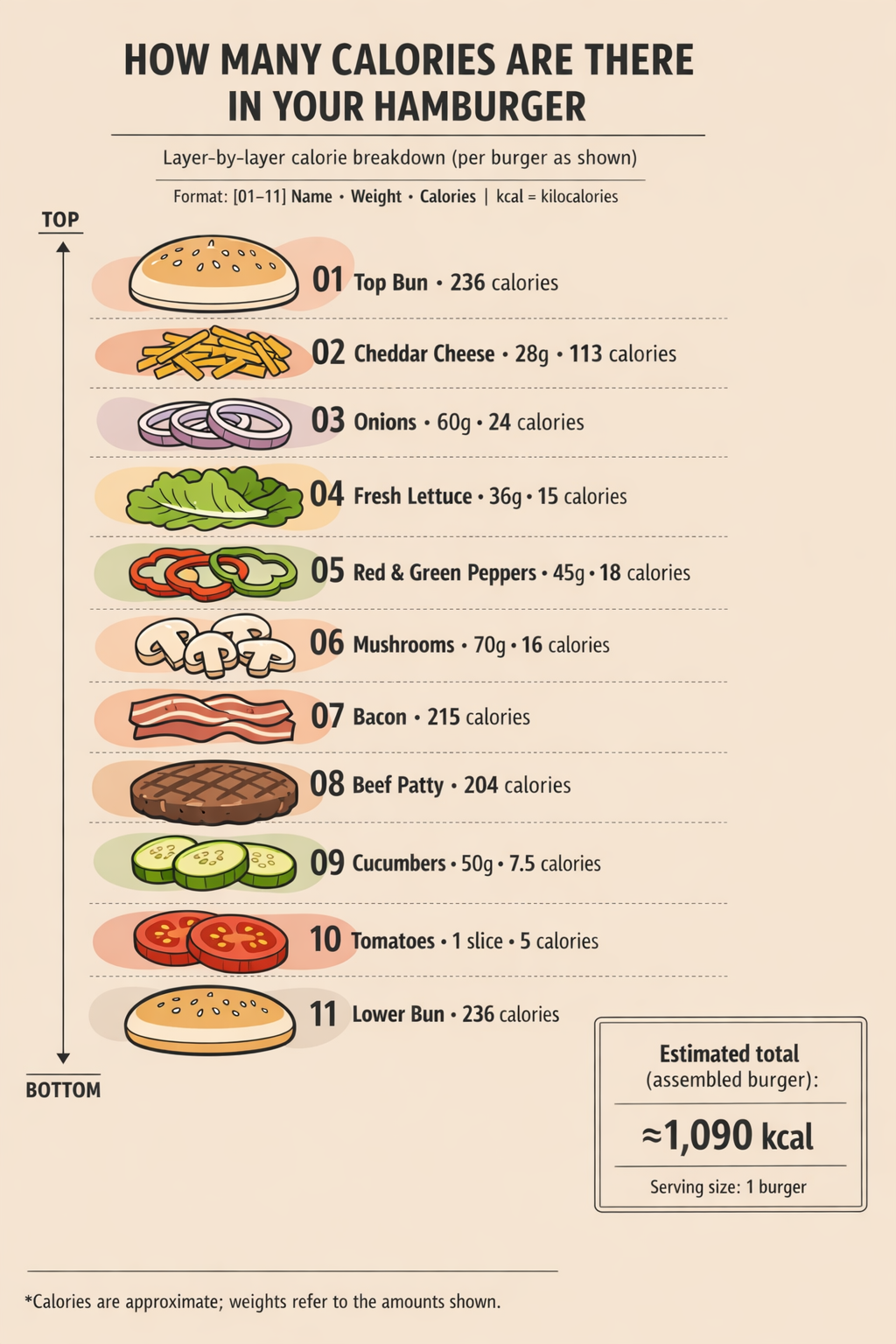
Create a vertical, flat-design infographic illustrating the calorie content of each ingredient in a hamburger. Title (top, centered, uppercase black): "HOW MANY CALORIES ARE THERE IN YOUR HAMBURGER". Subtitle: "Layer-by-layer calorie breakdown (per burger as shown)". Tiny legend line: "Format: [01–11] Name • Weight • Calories | kcal = kilocalories". Arrange ingredients as a tall stack from top to bottom, numbered 01 to 11, each with a minimalist outlined illustration and solid pastel fills. Use a beige background with subtle abstract organic shapes in pale red, peach, and light gray behind some items without covering text. Add a left margin guide arrow labeled "TOP" and "BOTTOM". For each layer, show a bold black number on the left and a right-aligned label line: Name • Weight • Calories, with consistent spacing. Use bold sans-serif for title/numbers and clean sans-serif for labels. Layers (top→bottom): 01 Top Bun 236; 02 Cheddar Cheese 28g 113; 03 Onions 60g 24; 04 Fresh Lettuce 36g 15; 05 Red & Green Peppers 45g 18; 06 Mushrooms 70g 16; 07 Bacon 215; 08 Beef Patty 204; 09 Cucumbers 50g 7.5; 10 Tomatoes 1 slice 5; 11 Lower Bun 236. Add a small right-side summary badge: "Estimated total (assembled burger): ≈1,090 kcal" and "Serving size: 1 burger". Footnote: "*Calories are approximate; weights refer to the amounts shown." Keep it clean, minimal, evenly spaced, highly readable.
코딩 (Coding)
원문 프롬프트
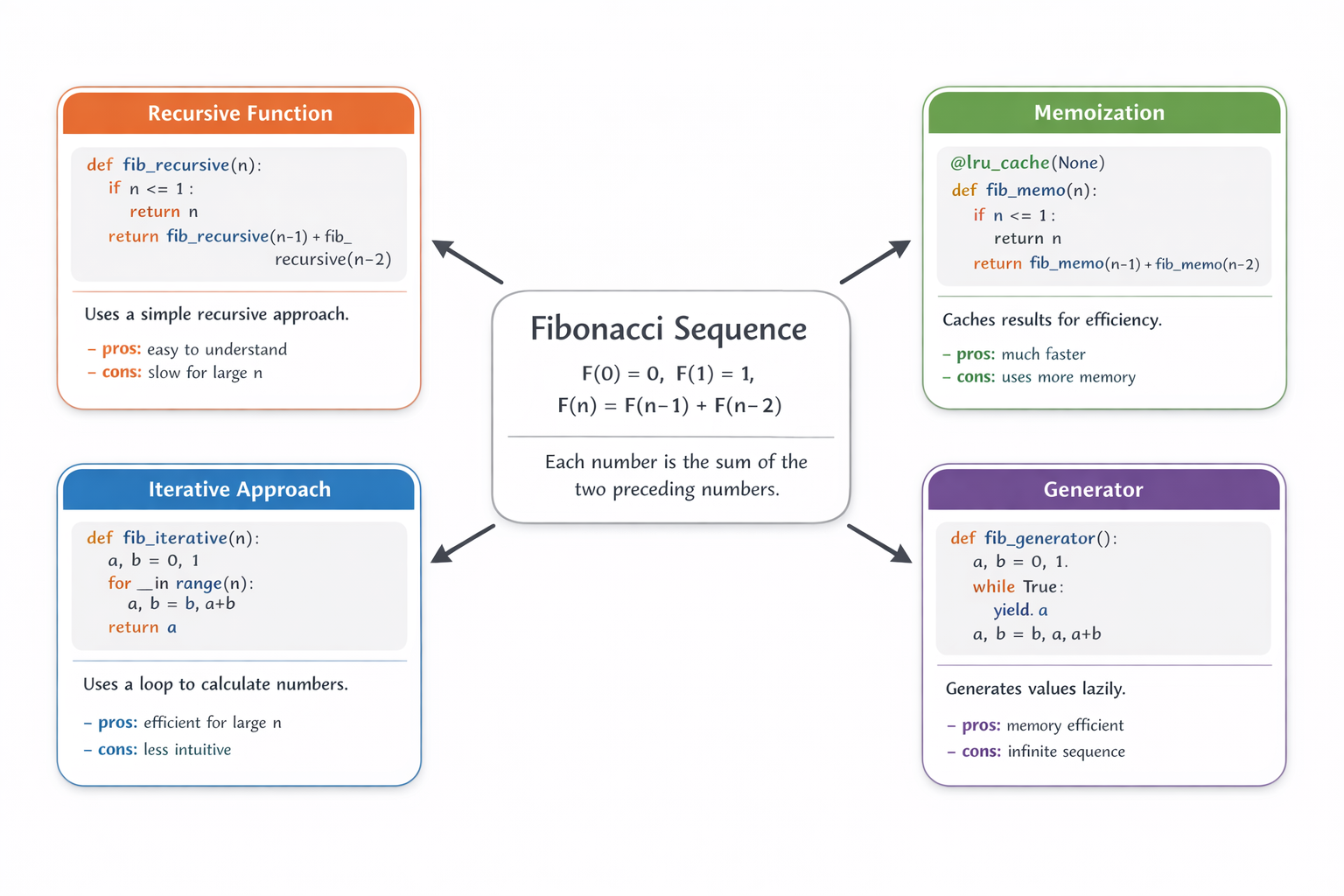
How does the Fibonacci sequence work? Explain it using both math and code. Place a simple mathematical definition and short explanation at the center of the image. Around the central math explanation, show four boxed Python implementations of the Fibonacci sequence, using different approaches or styles. Prefer Python solutions that rely on standard python library abstractions. Each implementation should be rendered inside a rounded-rectangle card with a subtle drop shadow and should contain, in order: a clear title; a code box with a light gray background showing the Python implementation (with correct indentation); a short textual explanation; bullet points labeled '- pros:' and '- cons:'. Draw clear arrows pointing from the central math explanation to each implementation card. Keep the layout clean and visually structured, using a modern, professional infographic style. Use a pure white background, a neutral base color palette, and give each implementation card a distinct accent color, with clear spacing throughout.
::contentReference[oaicite:0]{index=0}
추가 품질 개선 (Additional quality improvements)
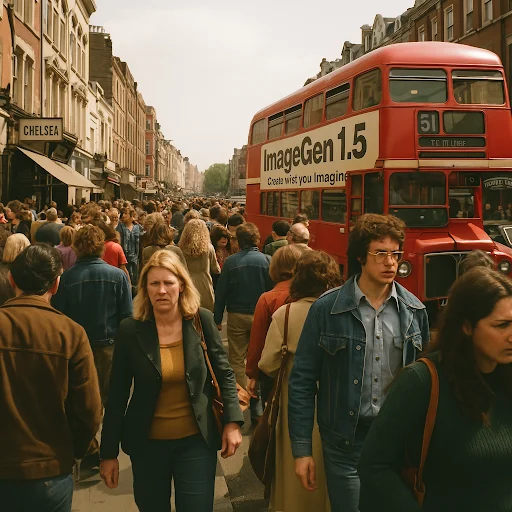
탭: 1970년대 런던
신규
1970년대 런던 첼시에서의 장면을 만들어 줘. 포토리얼리스틱, 모든 것이 초점 안에 있고, 사람들이 아주 많고, "ImageGen 1.5" 광고(OpenAI 로고와 부제 "Create what you imagine" 포함)가 붙은 버스가 있어야 해. 초현실적 아마추어 사진, 아이폰 스냅샷 품질…
원문 프롬프트
make a scene in chelsea, london in the 1970s, photorealistic, everything in focus, with tons of people, and a bus with an advertisement for 'ImageGen 1.5' with the OpenAI logo and subtitle 'Create what you imagine'. Hyper-realistic amateur photography, iPhone snapshot quality…

이전
1970년대 런던 첼시에서의 장면을 만들어 줘. 포토리얼리스틱, 모든 것이 초점 안에 있고, 사람들이 아주 많고, "ImageGen 1.5" 광고(OpenAI 로고와 부제 "Create what you imagine" 포함)가 붙은 버스가 있어야 해. 초현실적 아마추어 사진, 아이폰 스냅샷 품질…
원문 프롬프트
make a scene in chelsea, london in the 1970s, photorealistic, everything in focus, with tons of people, and a bus with an advertisement for 'ImageGen 1.5' with the OpenAI logo and subtitle 'Create what you imagine'. Hyper-realistic amateur photography, iPhone snapshot quality…
탭: 작은 얼굴 다수 (Many small faces)
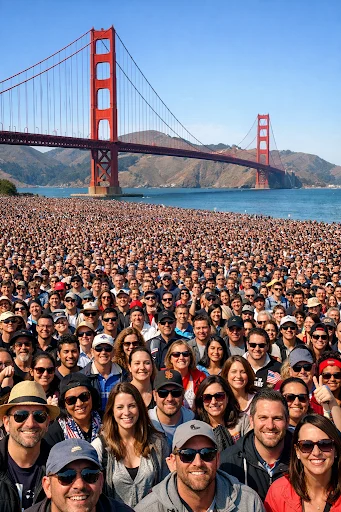
신규
골든 게이트 브리지 앞에 수만 명의 사람들이 있는 군중. 군중 속 모든 사람의 얼굴이 선명하게 보여야 해.
원문 프롬프트
a crowd of tens of thousands of people in front of the Golden Gate bridge. The faces of everyone in the crowd must be clearly visible.
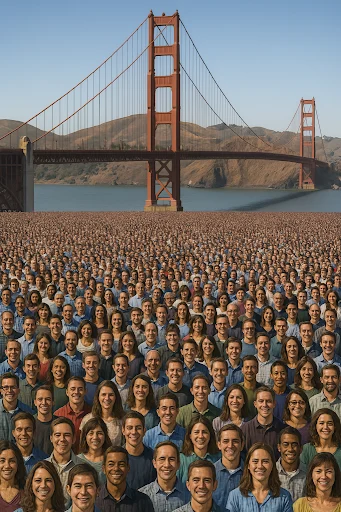
이전
골든 게이트 브리지 앞에 수만 명의 사람들이 있는 군중. 군중 속 모든 사람의 얼굴이 선명하게 보여야 해.
원문 프롬프트
a crowd of tens of thousands of people in front of the Golden Gate bridge. The faces of everyone in the crowd must be clearly visible.
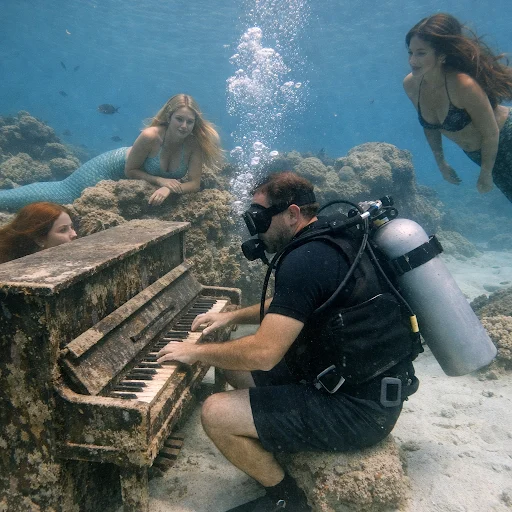
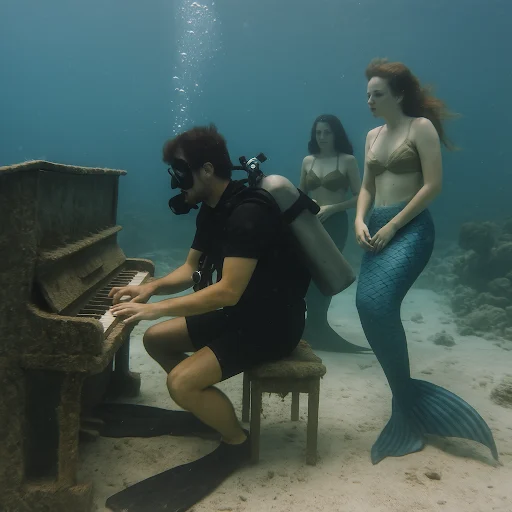
탭: 피아노 치는 다이버
신규
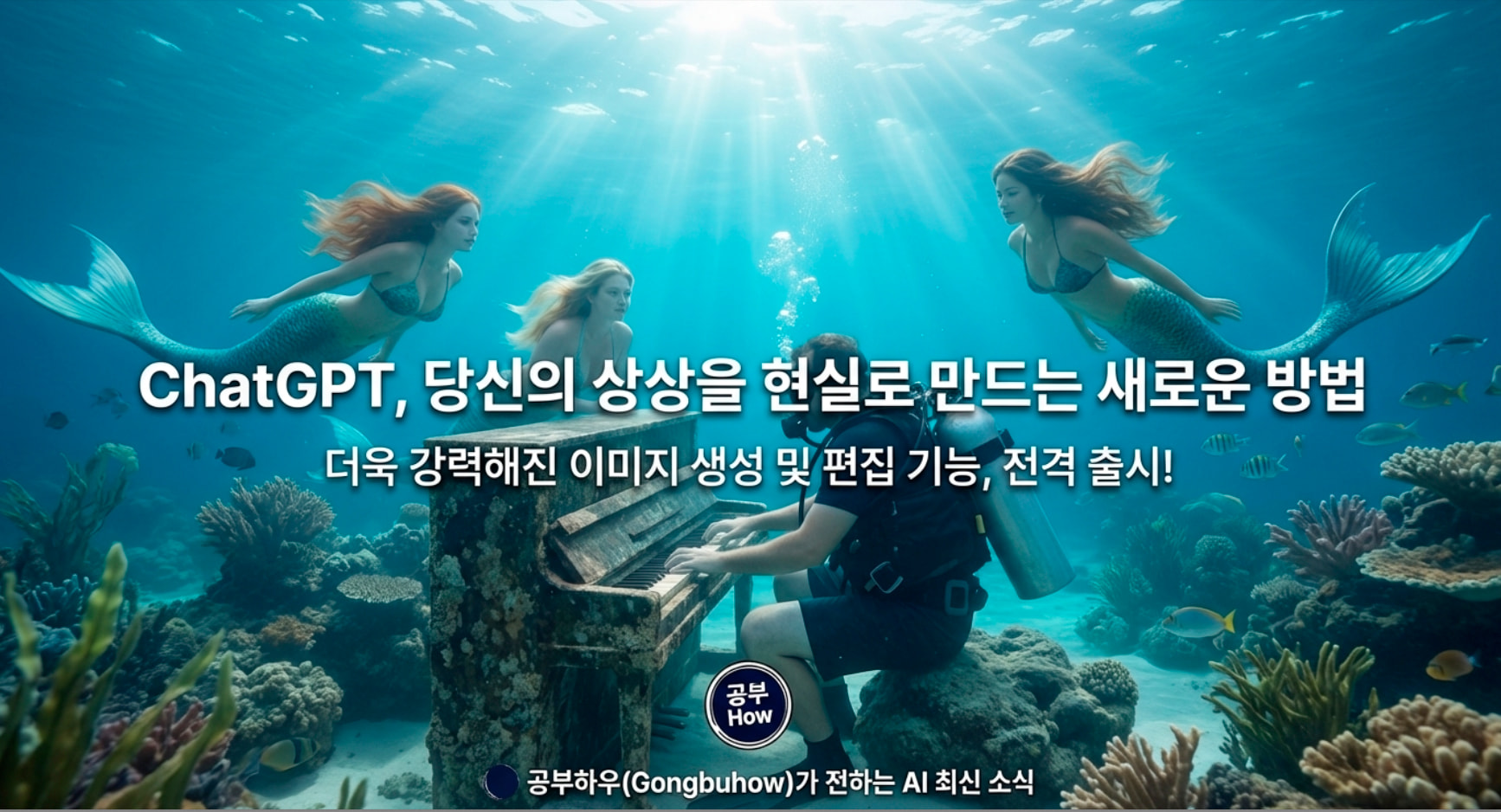
인어들이 지켜보는 가운데, 스쿠버 다이버가 물속에서 피아노를 치고 있는 장면. 초현실적인 아마추어 사진 느낌.
원문 프롬프트
A diver playing an underwater piano with mermaids watching. Hyper-realistic amateur photography
이전
인어들이 지켜보는 가운데, 스쿠버 다이버가 물속에서 피아노를 치고 있는 장면. 초현실적인 아마추어 사진 느낌.
원문 프롬프트
A diver playing an underwater piano with mermaids watching. Hyper-realistic amateur photography
탭: 플래시 반사 사진
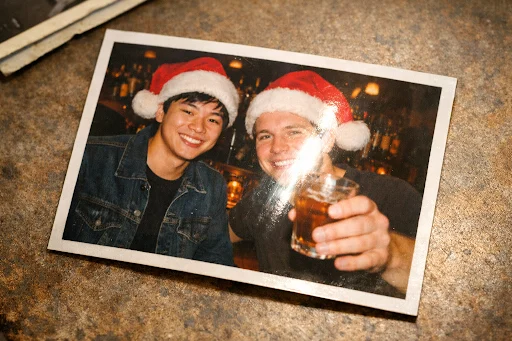
신규
(인쇄된 레트로 사진처럼 보이는) 젊은 아시아인 남성과 젊은 백인 남성이 산타 모자를 쓰고 바(bar)에 있는 장면의 이미지를 만들어 줘. 둘 중 한 명은 음료를 들고 있어야 해. 인쇄된 사진 위에는 카메라 플래시로 인한 빛 번짐(글레어)이 보이게 해 줘. 인쇄된 사진에는 얇은 흰색 테두리가 보이게 하고, 사진은 약간 기울어져 있어야 해.
원문 프롬프트
Generate an image of a printed retro photo of a young asian man and a young white man in santa hats at a bar, one of them is holding a drink. There should be camera flashlight glare visible on the printed photo. The printed photo should also have a thin white border visible, and should be slightly rotated
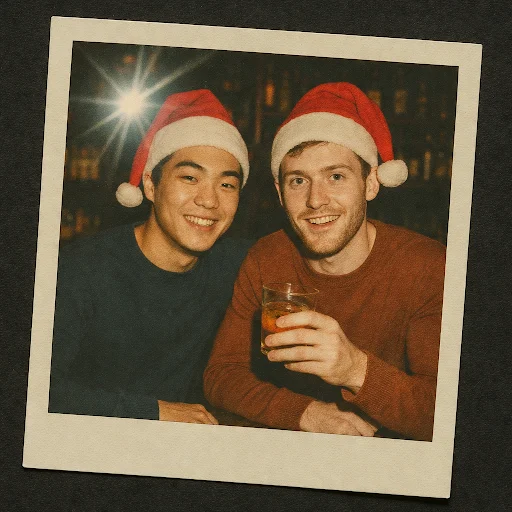
이전
(인쇄된 레트로 사진처럼 보이는) 젊은 아시아인 남성과 젊은 백인 남성이 산타 모자를 쓰고 바(bar)에 있는 장면의 이미지를 만들어 줘. 둘 중 한 명은 음료를 들고 있어야 해. 인쇄된 사진 위에는 카메라 플래시로 인한 빛 번짐(글레어)이 보이게 해 줘. 인쇄된 사진에는 얇은 흰색 테두리가 보이게 하고, 사진은 약간 기울어져 있어야 해.
원문 프롬프트
Generate an image of a printed retro photo of a young asian man and a young white man in santa hats at a bar, one of them is holding a drink. There should be camera flashlight glare visible on the printed photo. The printed photo should also have a thin white border visible, and should be slightly rotated
새로운 제작 공간
메시지에서 보고 싶은 이미지를 설명해 생성하는 것 외에도, ChatGPT에 Images 전용 공간을 새로 제공합니다. 모바일 앱과 chatgpt.com의 사이드바에서 이용할 수 있으며, 이미지 탐색과 시도를 더 빠르고 쉽게 할 수 있게 합니다. 여기에는 영감을 빠르게 시작할 수 있는 수십 가지 프리셋 필터와 프롬프트가 포함되며, 새로운 트렌드를 반영해 정기적으로 업데이트됩니다.
이러한 업그레이드를 통해 작은 편집부터 전체 재해석까지, 여러분의 비전에 더 잘 맞는 이미지를 만들 수 있습니다.
개선과 한계
초기 이미지 생성 출시 때의 예시들을 다수 다시 실행하여 성능을 평가했습니다. 다양한 사례에서 뚜렷한 개선이 나타났지만, 결과는 여전히 완벽하진 않습니다. 이번 릴리스는 의미 있는 진전이지만, 향후 업데이트에서 더 개선될 여지가 큽니다.
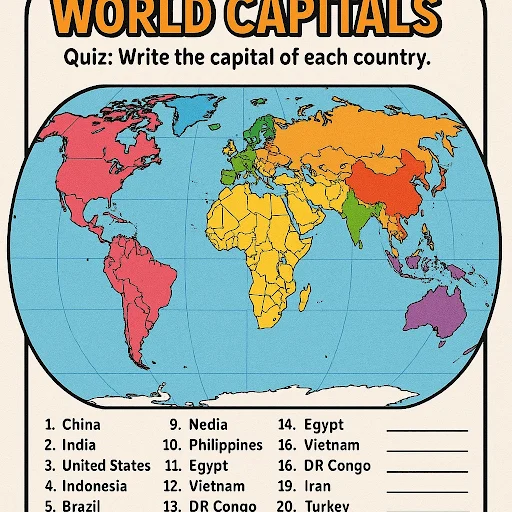
탭: 심해 포스터(개선), 세계 수도(개선), 스타일(한계), 여러 얼굴(한계), 다국어(한계)
탭: 심해 포스터 (개선)
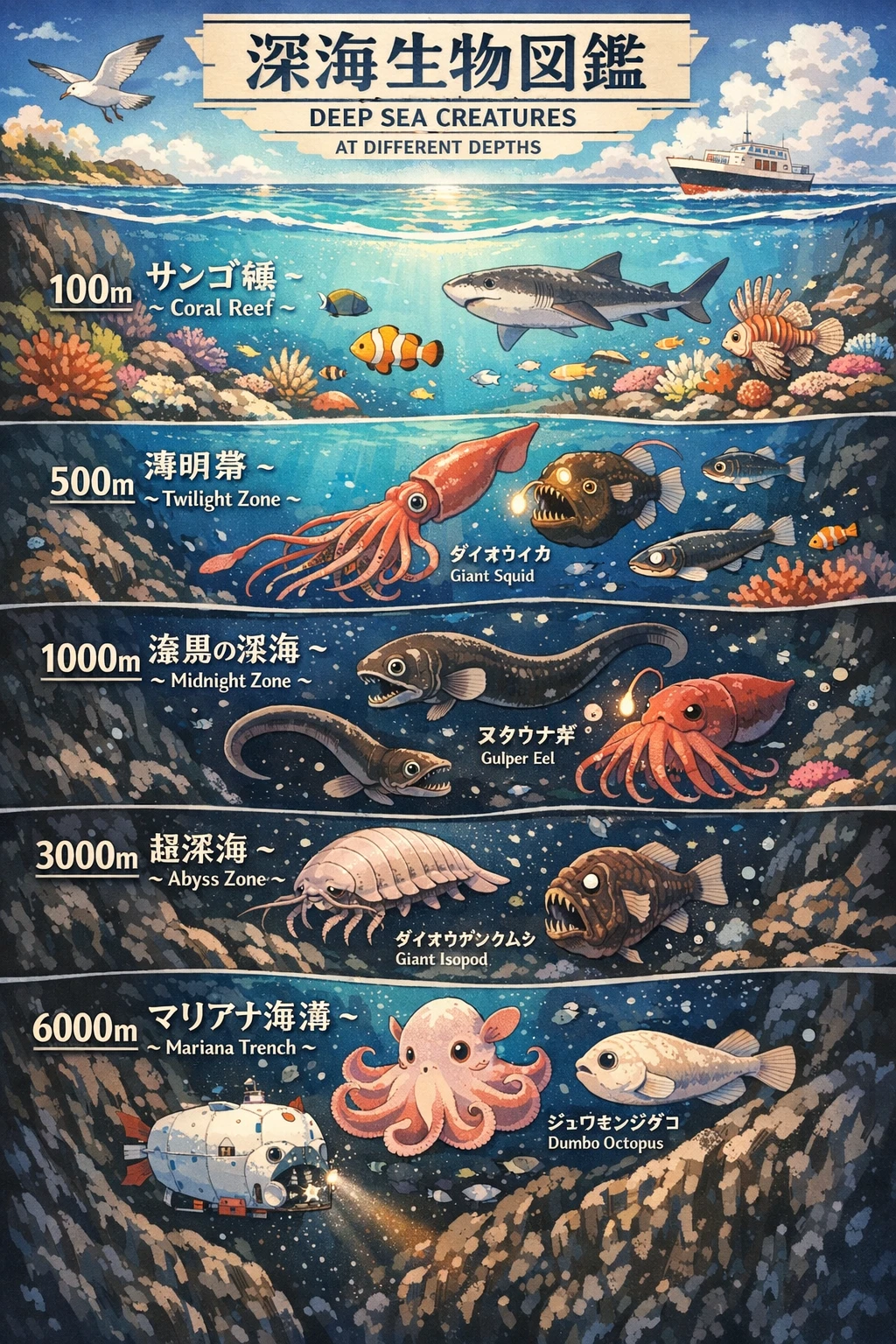
신규
서로 다른 수심에서의 심해 생물을 소개하는 포스터를 만들어 줘. 세로로 바다 단면을 잘라 보여 주고, 아름답고 디테일한 일본식 애니메이션 스타일로 만들어 줘.
원문 프롬프트
create a poster of deep sea creatures at different depths, with a vertical ocean cutaway, styled in a beautiful japanese detailed anime style
이전
서로 다른 수심에서의 심해 생물을 소개하는 포스터를 만들어 줘. 세로로 바다 단면을 잘라 보여 주고, 아름답고 디테일한 일본식 애니메이션 스타일로 만들어 줘.
원문 프롬프트
create a poster of deep sea creatures at different depths, with a vertical ocean cutaway, styled in a beautiful japanese detailed anime style
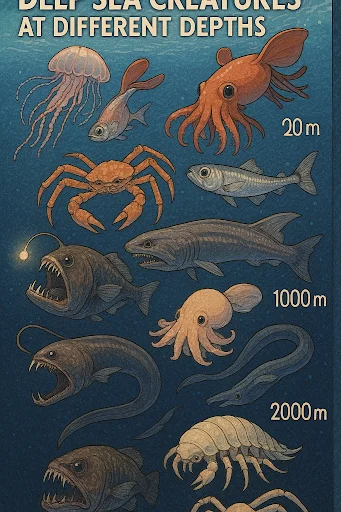
탭: 세계 수도 (개선)
신규
6학년 학생들에게 세계 수도를 퀴즈로 낼 수 있는 학습지(워크시트) 이미지를 만들어 줘. 학생들이 라벨을 붙일 수 있는 세계 지도를 포함해 줘. 인구가 가장 많은 상위 20개 국가의 수도에 집중해 줘. 재미있고 시각적으로 매력적으로 만들어 줘!
원문 프롬프트
create an image of a worksheet i can use to quiz my sixth graders on world capitals? use a world map that they can label. focus on capitals for the top 20 most populous countries. make it fun and visually appealing!
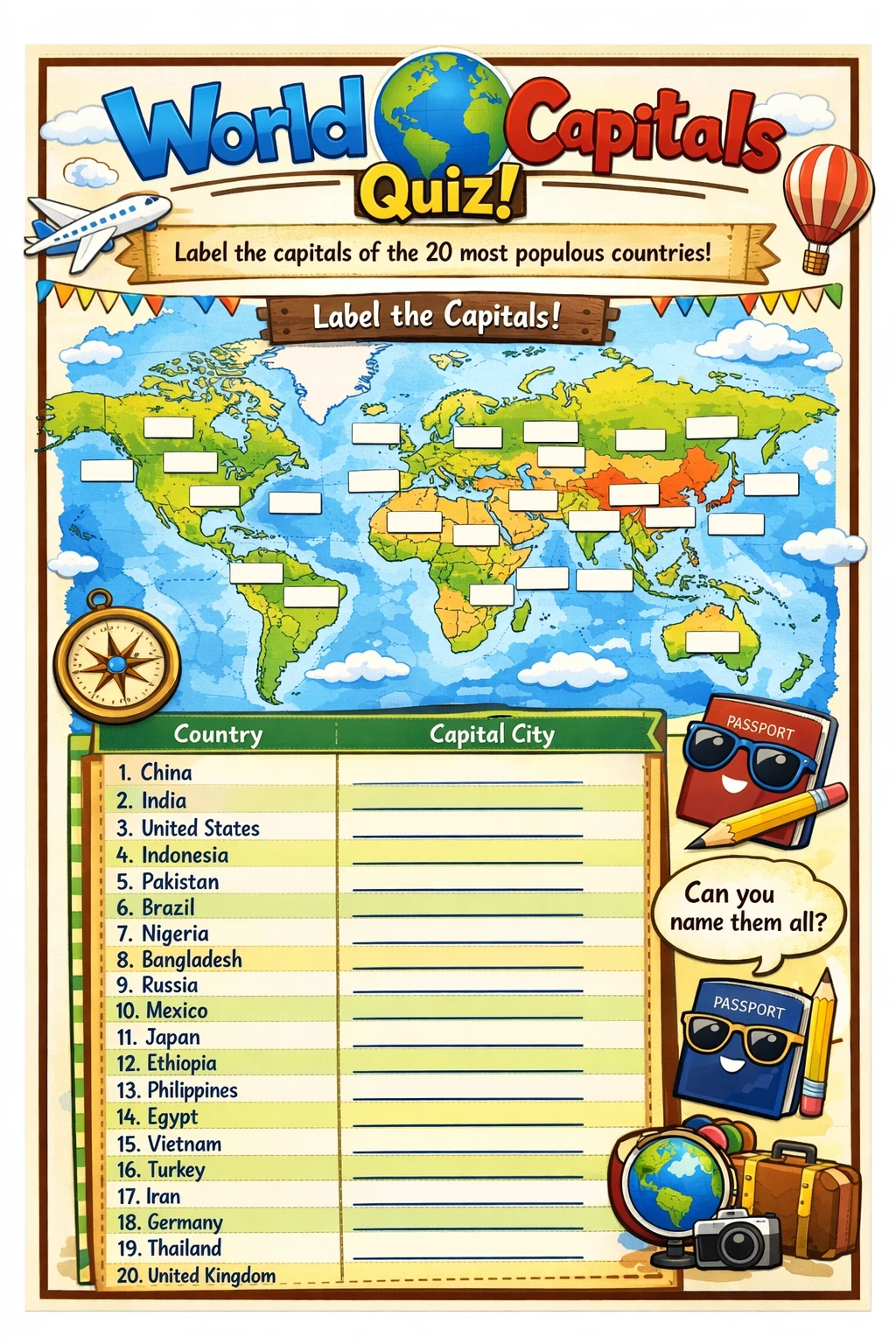
이전
6학년 학생들에게 세계 수도를 퀴즈로 낼 수 있는 학습지(워크시트) 이미지를 만들어 줘. 학생들이 라벨을 붙일 수 있는 세계 지도를 포함해 줘. 인구가 가장 많은 상위 20개 국가의 수도에 집중해 줘. 재미있고 시각적으로 매력적으로 만들어 줘!
원문 프롬프트
create an image of a worksheet i can use to quiz my sixth graders on world capitals? use a world map that they can label. focus on capitals for the top 20 most populous countries. make it fun and visually appealing!
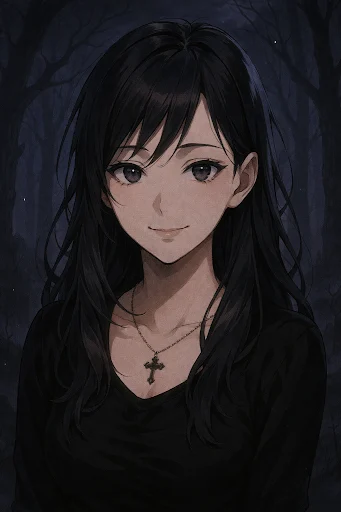
탭: 스타일 (한계)
신규
나를 다크 판타지 애니메이션 속 인물처럼 그려 줘
원문 프롬프트
Draw me like I'm in a dark fantasy anime
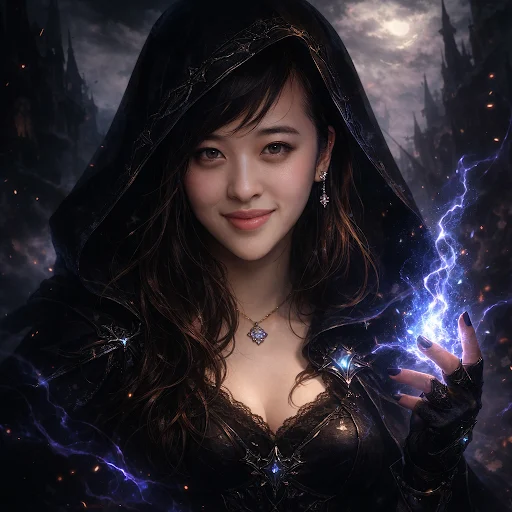
이전
나를 다크 판타지 애니메이션 속 인물처럼 그려 줘
원문 프롬프트
Draw me like I'm in a dark fantasy anime
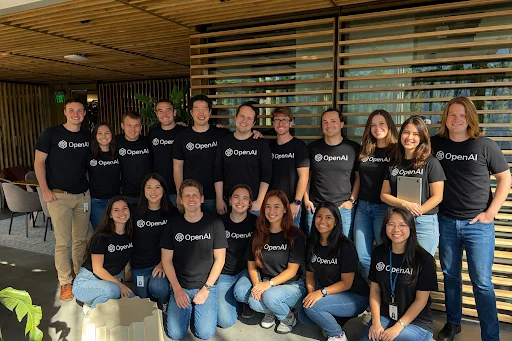
탭: 여러 얼굴 (한계)
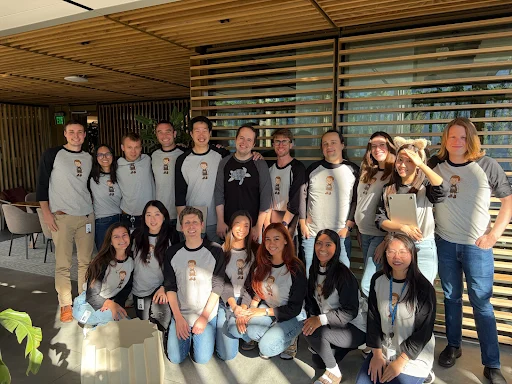
모두가 "OpenAI"라고 적힌 셔츠를 입게 해주고, 전부 웃고 있게 만들어 줄 수 있어?
원문 프롬프트
can you make them wear shirts that say 'OpenAI' and have everyone smiling
탭: 다국어 (한계)
중국어로 음식 주문하는 기본 표현들을 보여주는 이미지를 그려줄 수 있어?
원문 프롬프트
can you draw an image showing basic phrases on how to order food in chinese
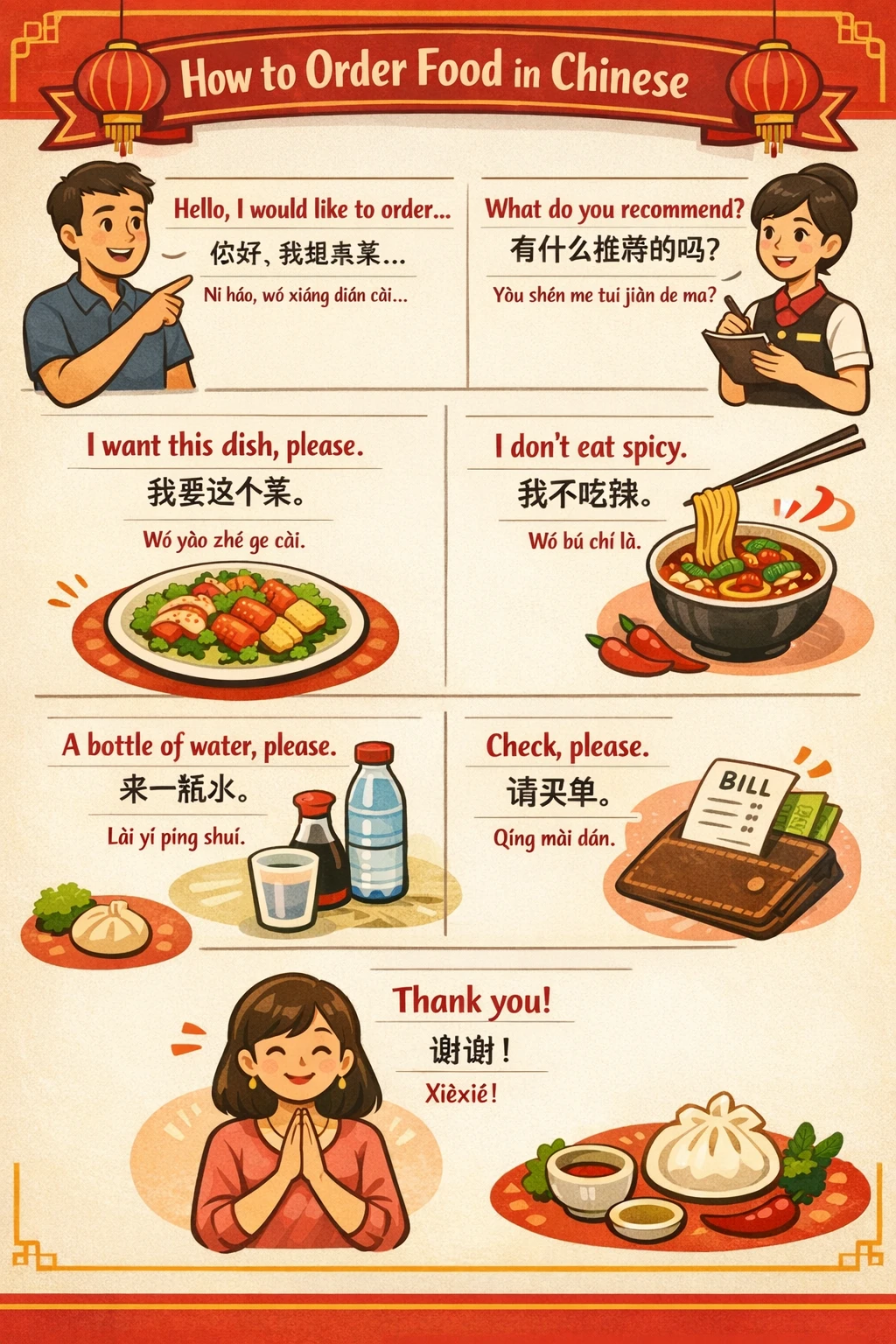
여전히 일부 과학적 부정확성이 있지만, 약 70%는 정확하며 그래픽은 훨씬 더 생생하고, 너무 이른 크롭을 피합니다.
API에서의 GPT Image 1.5
API에서 제공되는 GPT Image 1.5는 ChatGPT Images와 동일한 개선을 모두 제공합니다. GPT Image 1 대비 이미지 보존과 편집에서 더 강력합니다.
편집 전후로 브랜드 로고와 핵심 비주얼이 더 일관되게 보존되는 것을 확인할 수 있으며, 이는 그래픽·로고 제작 같은 마케팅/브랜드 작업과, 단일 소스 이미지를 바탕으로 제품 이미지 카탈로그(변형, 장면, 각도)를 생성하는 이커머스 팀에 특히 적합합니다.
또한 GPT Image 1.5는 GPT Image 1 대비 이미지 입력/출력 비용이 20% 더 저렴해져, 같은 예산으로 더 많은 이미지를 생성하고 반복할 수 있습니다.
- OpenAI Playground(이미지): https://platform.openai.com/playground/images/
- 갤러리: https://platform.openai.com/docs/guides/image-generation?gallery=open
- 프롬프트 가이드: https://cookbook.openai.com/examples/multimodal/image-gen-1.5-prompting_guide
창작 도구, 이커머스, 마케팅 소프트웨어 등 다양한 산업의 엔터프라이즈와 스타트업이 이미 GPT Image 1.5를 사용하고 있습니다.
탭: Wix, Canva, Higgsfield, Figma Weave, Envato, Shutterstock
탭: Wix
신규
이전
“GPT Image 1.5는 높은 충실도의 이미지를 생성하면서도 프롬프트(지시)를 강하게 준수하고, 구도, 조명, 미세한 디테일까지 보존합니다. 결과물은 깔끔하고 현실적이며 신뢰할 수 있어, Wix 같은 플랫폼에서 더 빠른 ‘컨셉→프로덕션’ 워크플로를 지원합니다. 우리가 진행한 테스트와 Wix에서 관찰한 주요 활용 사례를 기준으로 볼 때, 그 일관성과 품질은 오늘날 대표적인 플래그십 이미지 생성 모델 중 하나가 되기에 충분히 경쟁력이 있습니다.”
“GPT Image 1.5 generates high-fidelity images with strong prompt adherence, preserving composition, lighting, and fine-grained detail. Outputs are clean, realistic, and reliable, enabling faster concept-to-production workflows for platforms like Wix. Based on our testing and observed use cases at Wix, its consistency and quality are competitive with today’s flagship image generation models.”
— Hila Gat, Wix AI Research and Data Science 책임자
탭: Canva
신규
이전
“OpenAI Image Gen은 Canva의 고급 AI 이미지 편집 기능을 구동하는 데 도움을 주며, 지능적인 스타일 매칭과 디자인 맥락을 반영해 더 나은 결과를 제공합니다. GPT Image 1.5에서는 더 넓은 주제와 스타일 전반에서 시각적 충실도, 조정 가능성(steerability), 성능이 향상된 것을 확인했습니다. 우리는 최신 AI 발전을 커뮤니티에 계속 제공하고, 상상을 현실로 바꾸는 일을 돕게 되어 기대합니다.”
"OpenAI Image Gen helps power Canva’s advanced AI image editing capabilities, providing better results with intelligent style matching and design context. With GPT Image 1.5, we’ve seen improvements in visual fidelity, steerability, and performance across a wider range of subjects and styles. We’re excited to keep bringing the latest AI advances to our community and help turn imagination into reality."
— Danny Wu, Canva Head of AI Products
탭: Higgsfield
신규
이전
“GPT Image 1.5는 시각적 충실도, 프롬프트 준수, 그리고 다양한 시각 미학에 대한 모델의 이해 측면에서 기준을 크게 끌어올립니다. 여러 참조 이미지를 효과적으로 활용하면서도 미세한 디테일을 보존하는 능력 덕분에, 일관되고 고품질의 이미지 생성이 가능하며 이를 비디오로도 자연스럽게 확장할 수 있습니다.”
"GPT Image 1.5 significantly raises the bar in terms of visual fidelity, prompt adherence, and the model’s understanding of diverse visual aesthetics. Its ability to effectively leverage multiple reference images while preserving fine-grained details enables consistent, high-quality image generation that can be seamlessly extended into video."
— Alex Mashrabov, Higgsfield CEO
탭: Figma Weave (Weavy)
신규
이전
“GPT Image 1.5는 시각적 품질과, 창작자가 최종 결과를 얼마나 제어할 수 있게 해주는지 측면에서 두드러집니다. 디테일한 이미지를 생성하고, 의도를 훼손하지 않으면서도 정밀한 편집 요청에 잘 반응합니다. AI 모델을 노드 기반 워크스페이스 안에서 사용하는 Figma Weave(Weavy)에서는, 이것이 엔드투엔드 워크플로 전반에 걸친 ‘통제된 반복(iteration)’을 가능하게 해 실제 프로덕션 환경에서도 신뢰할 수 있게 만듭니다.”
"GPT Image 1.5 stands out for its visual quality and the amount of control it gives creators over the final result. It generates detailed images and responds well to precise edits without compromising intent. In Figma Weave (Weavy), where AI models are used inside a node-based workspace, this enables controlled iterations across end-to-end workflows, making it reliable for real production use."
— Itay Schiff, Figma Weave (Weavy) Creative Director
탭: Envato
신규
이전
“OpenAI의 최신 이미지 모델 GPT Image 1.5와, 이것이 Envato의 AI 역량을 어떻게 강화할 수 있는지에 정말 깊은 인상을 받았습니다. 자연스러운 조명과 원근감부터 세밀한 텍스처까지, 사실감(리얼리즘)의 개선이 놀라울 정도입니다. 이 모델이 크리에이티브 전문가들이 영감을 불러일으키는 프로덕션 품질의 비주얼을 훨씬 더 쉽게 생성할 수 있게 해 줄 것이라 기대합니다.”
"We're really impressed with OpenAI's latest image model GPT Image 1.5 and how it can enhance Envato's AI capabilities. The improvements in realism are remarkable, from natural lighting and perspective to detailed textures. We're excited that it'll make it so much easier for creative professionals to generate production-quality visuals that spark inspiration."
— Marine Bassy, Envato Head of Product
탭: Shutterstock
신규
이전
“GPT Image 1.5는 GPT Image 1에 비해 큰 도약을 보여주며, 색 정확도, 사실감, 조명, 스타일 제어가 극적으로 개선되었습니다. 생성과 편집은 이제 더 의도적이고 신뢰할 수 있게 느껴지며—특히 다단계 워크플로, 텍스트 렌더링, 인포그래픽에서—모델이 훨씬 더 프로덕션 준비(production-ready)된 상태가 되었습니다.”
"GPT Image 1.5 represents a major step forward from GPT Image 1, with dramatically improved color accuracy, realism, lighting, and stylistic control. Generation and editing now feel more intentional and reliable—especially for multi-step workflows, text rendering, and infographics—making the models far more production-ready."
— Keenan Kadam, Shutterstock Senior Product Manager
제공 범위
새 ChatGPT Images 모델은 오늘부터 전 세계 모든 ChatGPT 사용자와 API 사용자에게 다양한 표면(surfaces)에서 순차적으로 제공되고 있습니다. 모델 선택 없이도 동작하므로, 사용을 위해 별도로 선택할 필요가 없습니다. 올해 초 출시된 ChatGPT Images 버전은 모든 사용자가 계속 이용할 수 있도록 커스텀 GPT로 유지됩니다:
https://chatgpt.com/g/g-6940a876d5f4819186b4668deabcd580-4o-imagegen
우리는 이미지 생성으로 가능한 것들의 시작점에 아직 서 있다고 믿습니다. 오늘의 업데이트는 의미 있는 진전이며, 더 미세한 편집부터 언어 전반에서 더 풍부하고 더 디테일한 출력까지, 앞으로도 더 많은 개선이 이어질 것입니다.